


Wireless LoRaWAN Sensor Monitoring
Battery-powered sensors with an approx. 4+ year lifespan -- no wiring required
- Food Storage
- Server/IT Rooms
- Warehouses
- Retail
- Remote Buildings
- Door/Window Monitoring
Long-Range, No New Wiring
A single LoRaWAN gateway covers an entire building, or a whole outdoor property, over a long-range wireless network purpose-built for battery-powered sensors -- not Wi-Fi. Add temperature, humidity, and door/window monitoring points anywhere a wire would be impractical or impossible to run, and have them online in minutes. One gateway comfortably supports up to 500 sensors.
Multi-Year Battery Life
Sensors are rated for 200,000+ transmissions, approx. 4+ years of battery life under typical reporting usage, since the reporting interval is tied to how often each zone is actually logged -- a zone logged hourly or coarser doesn't report any more often than it needs to.
Equipment Required
A LoRaWAN gateway, and up to 500 wireless sensors for the readings you need.
Available Sensors
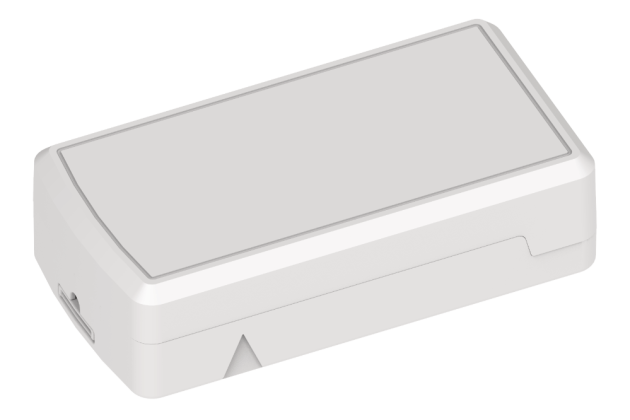
Temperature & Humidity Sensor
Onboard sensing in a single battery-powered unit -- no external probe to place.
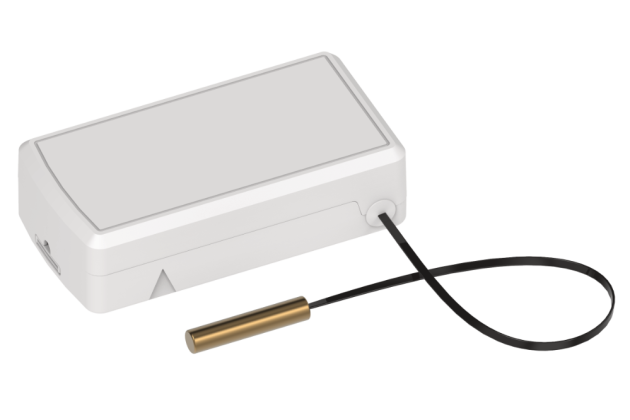
External Probe Temperature Sensor
A wired probe lets the transmitter sit outside a freezer, cooler, or enclosure while the probe reads the actual temperature inside.
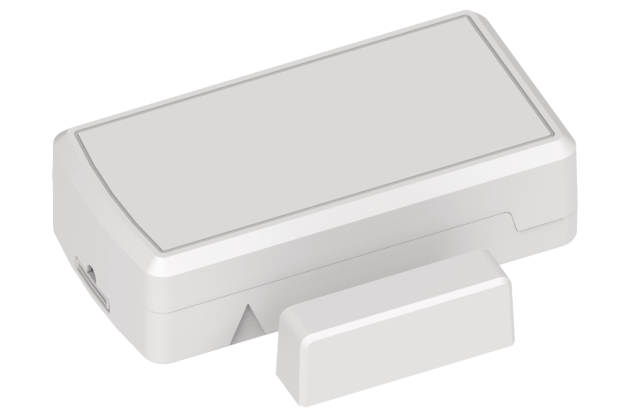
Door/Window Sensor with Temperature & Humidity
A magnetic contact for door/window monitoring, plus onboard temperature and humidity sensing, all in one unit.
Capabilities
No Wiring Required
Wireless door/window, temperature, and humidity sensors join the site's LoRaWAN gateway directly -- no daisy-chain cabling, no home runs back to a panel.
Battery & Signal at a Glance
Each sensor's battery level and radio signal strength (RSSI/SNR) show right on the Zones page, so a weak signal or an aging battery is caught before it becomes a missed event.
Replace Without Losing History
Replacing a sensor takes seconds from the Zones page -- enter the new sensor's DevEUI and the zone keeps its name, thresholds, and full logged history.
Area Arming
Sensors support area arm/disarm like any other system, so a tripped door/window zone while the area is armed is correctly reported as a real alarm, not just a status change.
Threshold Alarms
Temperature and humidity zones support high/low thresholds with instant alerts onscreen, by email, text message, or push notification the moment a reading drifts out of range.
Custom Reports & Logging
Flexible logging intervals per zone, with historical reports by location or system-wide, the same reporting tools used across the rest of the platform.
Central Station Reporting
Temperature and humidity threshold alarms, and alarms from armed door/window zones, can report directly to your central station alongside every other signal on the account. See supported receiver types, formats, and the Cancel Alarm function.