


Feature Blog
236+ Feature Updates
October 6, 2026
CAP Integration Expanded — Now Enabling Custom Integrations
Our Common Alerting Protocol (CAP) integration now supports full areas and zones with arm/disarm capability and temperature/humidity monitoring, plus a simple new way for third-party systems to push events in directly over a lightweight web request — no CAP formatting required. This opens the door to easier custom integrations with virtually any system capable of sending a basic web request. Coming Soon: Central Station Reporting for Custom Integrations. Learn More
Read MoreOctober 6, 2026
Virtual Area Arming — Now Across More System Types
Area arming and disarming is now available for LoRaWAN, BarioNet, NVR systems (Exacq, EyeQ, OpenEye, AVA Security, Digital Watchdog, and Hanwha), and Cansec access control panels, in addition to the traditional control panel types that have always supported it. This means a tripped sensor, camera motion event, or access control zone that happens while the area is armed is now correctly reported as a real alarm — not just a routine status change — giving you and your customers a clearer, more reliable picture of what's actually happening on site. Areas on these systems can be armed manually, put on a ...
Read More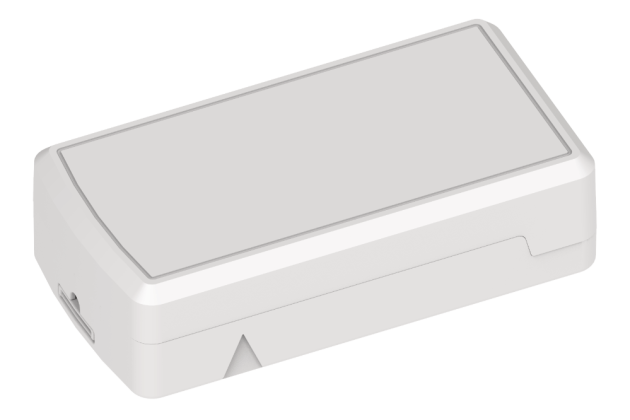
October 6, 2026
LoRaWAN: Long-Range Wireless Sensors, No Wiring Required
Connect ONE now supports LoRaWAN wireless sensors, giving you an easy way to add temperature, humidity, and door/window monitoring to a site without running a single wire. Sensors run on an approx. 4+ year battery life and communicate over a long-range wireless network to a gateway placed anywhere on the property — one gateway comfortably supports up to 500 sensors. Each sensor's battery level and signal strength show right on the Zones page, and a sensor can be swapped out in seconds if it ever needs replacing — the zone keeps its name, thresholds, and full history. It's a fast, low-cost way ...
Read More
September 3, 2026
DMP XT75 Persistent Connection Method
The DMP XT75 Series control panels may now be programmed with a persistent connection option. Once programmed, the control panel makes an outbound connection to the Connect ONE cloud and the connection is held open. Since this is an outbound direction, no incoming ports need to be open on the customer's firewall, and since the connection is held, commands are sent back in near real-time for processing on the panel. It is the best of all worlds, no open ports and fast command processing! The persistent connection method is also available or the XR and XF series panels. Please ...
Read More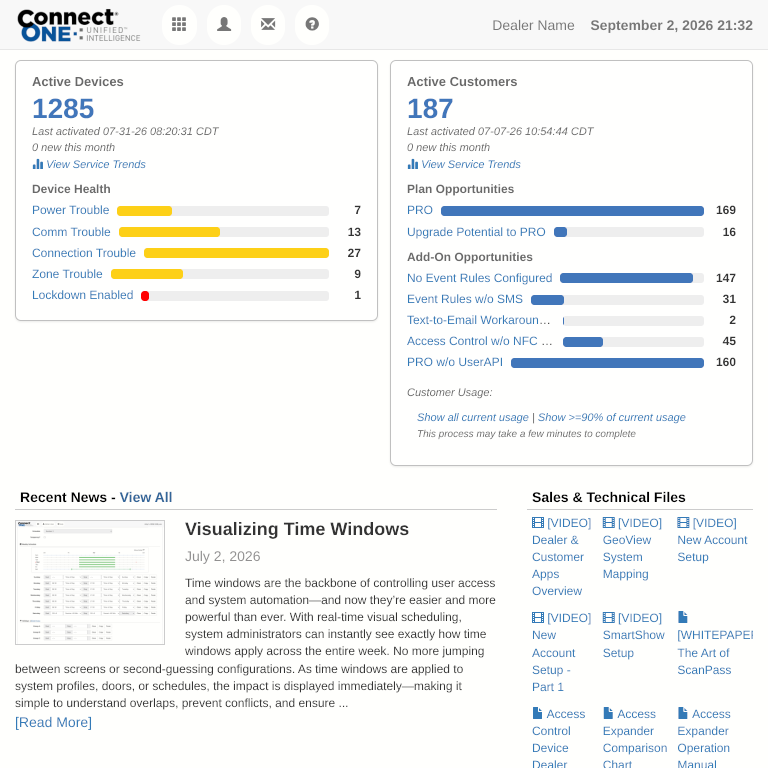
September 3, 2026
Dealer Portal Redesign, Slide-Up Panels, & Camera Playback Timeline
Dealer Portal: Refreshed, Mobile-Friendly Layout The dealer portal has been redesigned to work smoothly on phones and tablets, not just desktop. Account pages now adapt cleanly to small screens with a collapsible side panel, and the home dashboard leads with at-a-glance stats — active customers, active devices, and new activity this month. Device Health now surfaces power, communication, zone, and connection trouble counts across your whole customer base with one click to drill into affected devices, and the dashboard automatically flags customer accounts that may have opportunities for upsell so you can proactively follow up. Dealer Home Dealer Mobile New ...
Read MoreAugust 12, 2026
User Sync Module
Simplify user management by automatically synchronizing Connect ONE users with information maintained by an external system. The new User Sync Module provides a flexible way to automatically add, update, deactivate, or delete users based on information contained in an external user list. Flexible File-Based Synchronization User information can be supplied in a structured JSON or XML file stored in a shared cloud folder or other accessible file location. Connect ONE can periodically retrieve the file and process changes based on your configured synchronization settings. Multiple Synchronization Options Add/Update — Creates new users and updates existing users based on the ...
Read More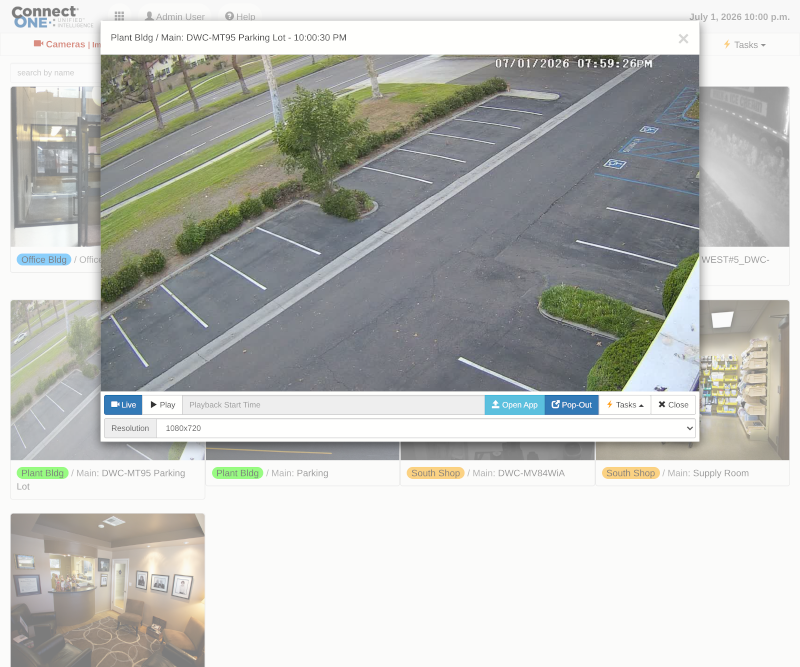
July 2, 2026
Camera Management with Task Activation and Activity View for Playback
Camera viewing just got a major upgrade. Live and playback video now feature a cleaner, more intuitive interface paired with powerful new capabilities designed to streamline investigations and response. While viewing a camera, you can instantly activate Task Rules tied to that camera’s area and view related activity alongside the video—all in a single screen. With one click or tap on any event, playback begins at the exact moment it occurred, eliminating the need to search through footage. The result is faster insight, quicker response times, and a more efficient, operator-friendly experience. Camera View with Task Activation ...
Read More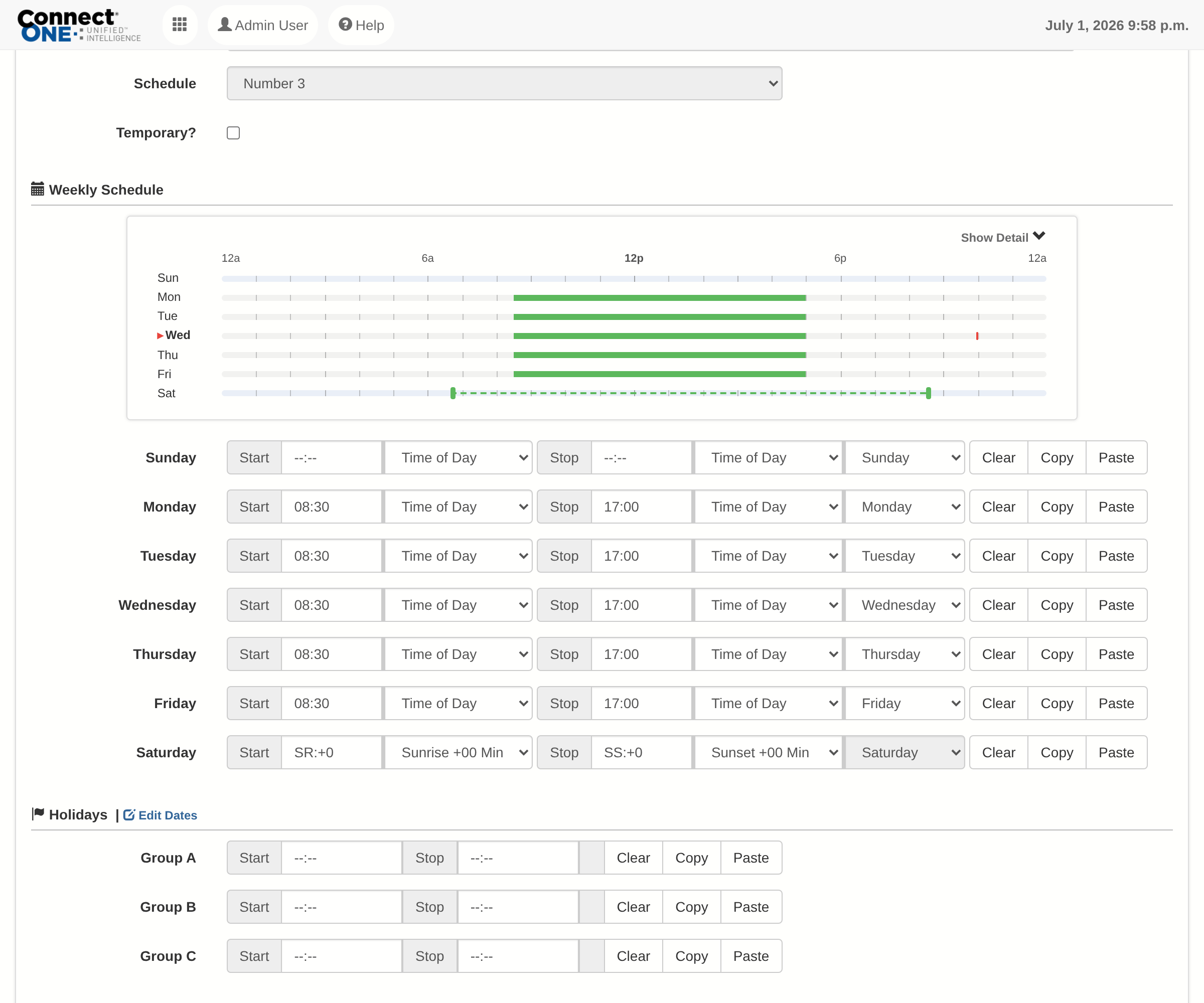
July 2, 2026
Visualizing Time Windows
Time windows are the backbone of controlling user access and system automation—and now they’re easier and more powerful than ever. With real-time visual scheduling, system administrators can instantly see exactly how time windows apply across the entire week. No more jumping between screens or second-guessing configurations. As time windows are applied to system profiles, doors, or schedules, the impact is displayed immediately—making it simple to understand overlaps, prevent conflicts, and ensure everything works exactly as intended. The result: faster configuration, fewer errors, and a more intuitive experience that saves time and drives operational efficiency. Time Window ...
Read More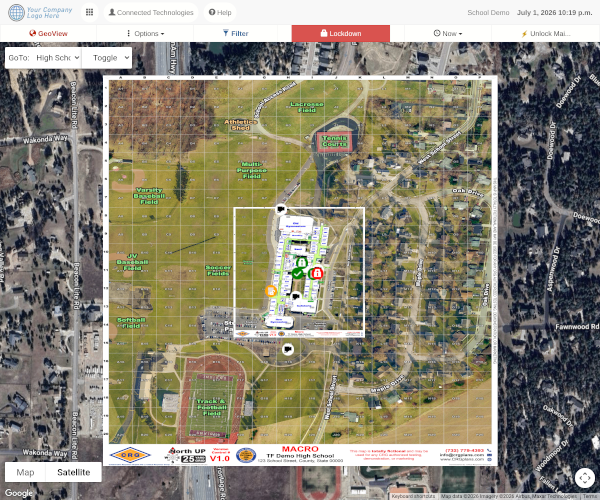
July 1, 2026
Overlay Layers on GeoView
GeoView just became even more powerful with enhanced overlay controls and new layer assignment capabilities. You can now stack multiple overlay images—such as floorplans—on top of one another and instantly toggle layers on or off in real time. This gives operators greater flexibility to visualize spaces, compare layouts, and focus on exactly what matters in the moment. The result is faster situational awareness, improved navigation, and a more dynamic, user-driven mapping experience. Layer 1 Shown Layer 1 Hidden
Read More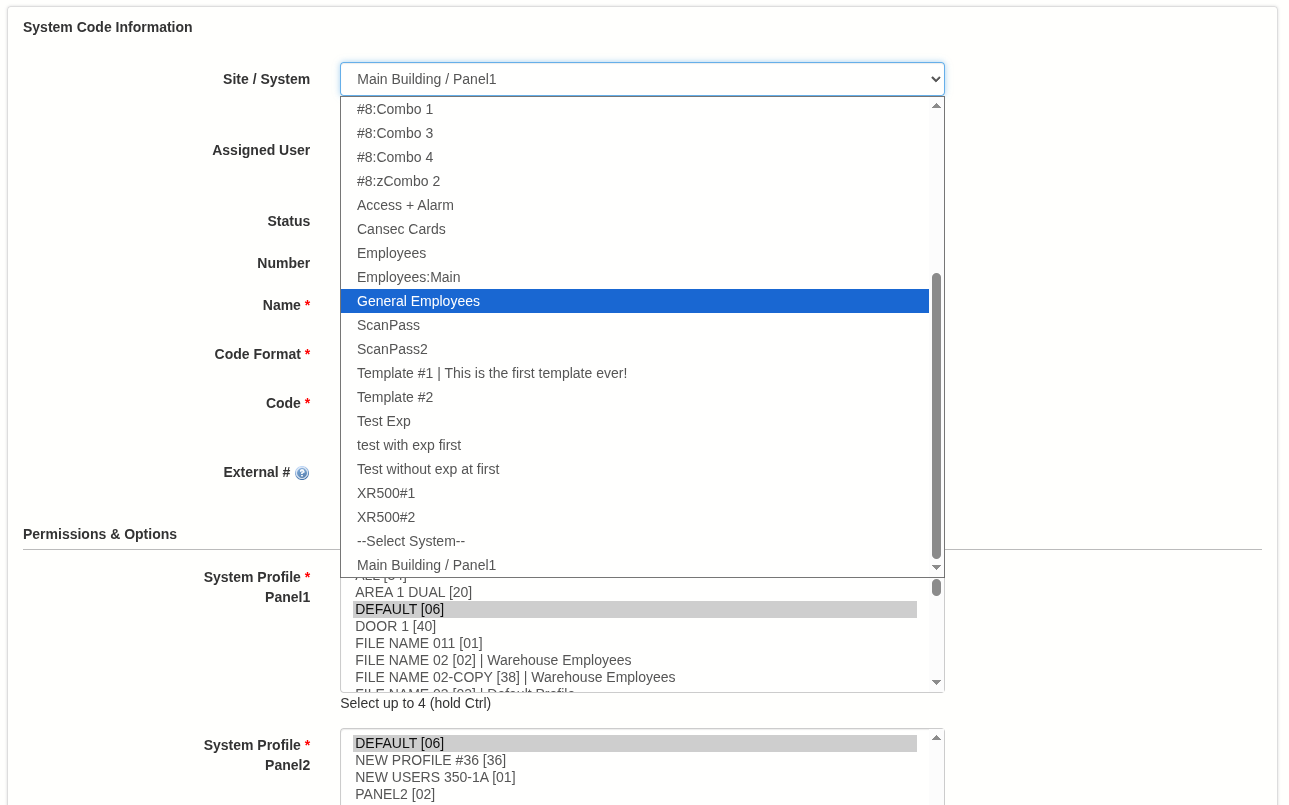
June 5, 2026
Improvements to System Code, Profile & Schedule Management
These enhancements streamline system administration and deliver greater control over access management. With a focus on efficiency and visibility, managing users, profiles, and schedules is now faster, more intuitive, and more transparent—especially when working with complex or large-scale environments. Managing Large User Groups Just Got Easier Apply templates to existing user system codes and bulk assign users to templates in just a few clicks. This simplifies the process of standardizing permissions and enables administrators to quickly implement changes across large user groups without manual updates. Faster, More Intuitive Profile Management System Profiles have been redesigned to improve usability ...
Read More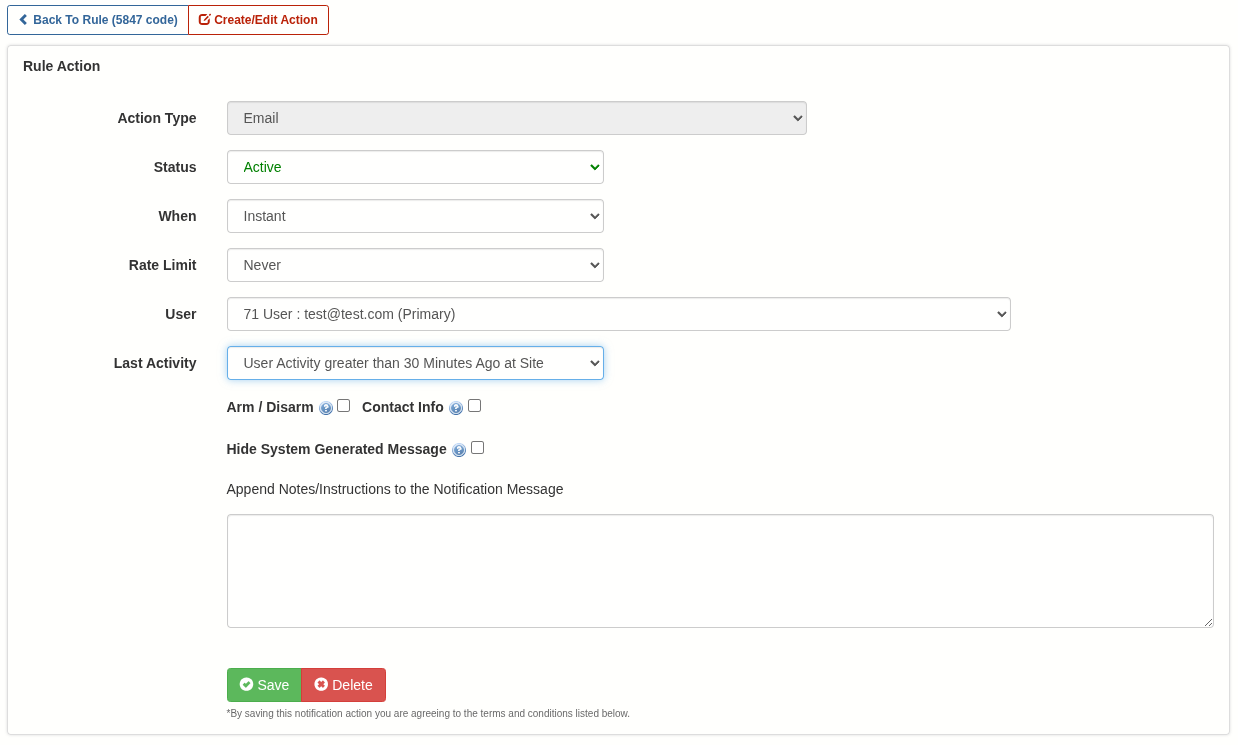
April 10, 2026
New Rule and Profile Options
Customer Management Portal Event Rule (New Action Option): New options are now available to suppress notifications based on a user’s most recent activity at a site. Previously, notifications could be suppressed unless the user had accessed the site within a specified timeframe. Now, a new option allows notifications to be suppressed if the user has accessed the site within that timeframe. This enhancement was introduced to support scenarios such as ambush notifications, where alerts are intentionally suppressed for personnel already on-site—helping prevent an intruder from becoming aware that authorities have been notified. Task Rule (New Action): You ...
Read More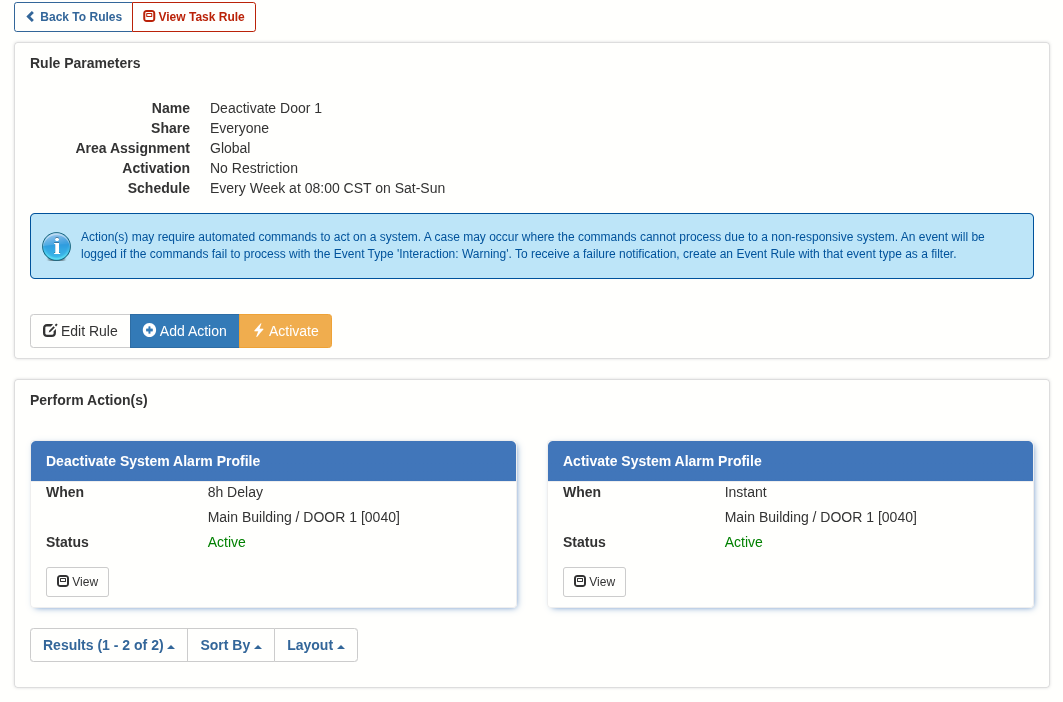
March 6, 2026
New Task Rule Actions & More Updates
Customer Management Portal Task Rule (New Actions): You can now specify Activate and Deactivate actions for System Profiles and System Schedules. This allows custom permission settings to automatically change when a scheduled activation or deactivation occurs. Safe Passage Template Options Expanded: Safe Passage templates now support embedded links, allowing administrators to include resources such as training videos. A verification question can also be included to confirm the user has reviewed the material. Additionally, True/False response options are now supported. DMP Access Profiles: Output Groups have been added to the list of Access Triggers available for a door within ...
Read MoreShowing 1-12 of 236 features