

News Articles

119+ Latest News Stories

← Back to All News

November 2, 2026
Central Station Reporting & More Feature Updates -- The Connected Cloud -- November 2026

THE CONNECTED CLOUD
News & Feature Updates
NOVEMBER 2026

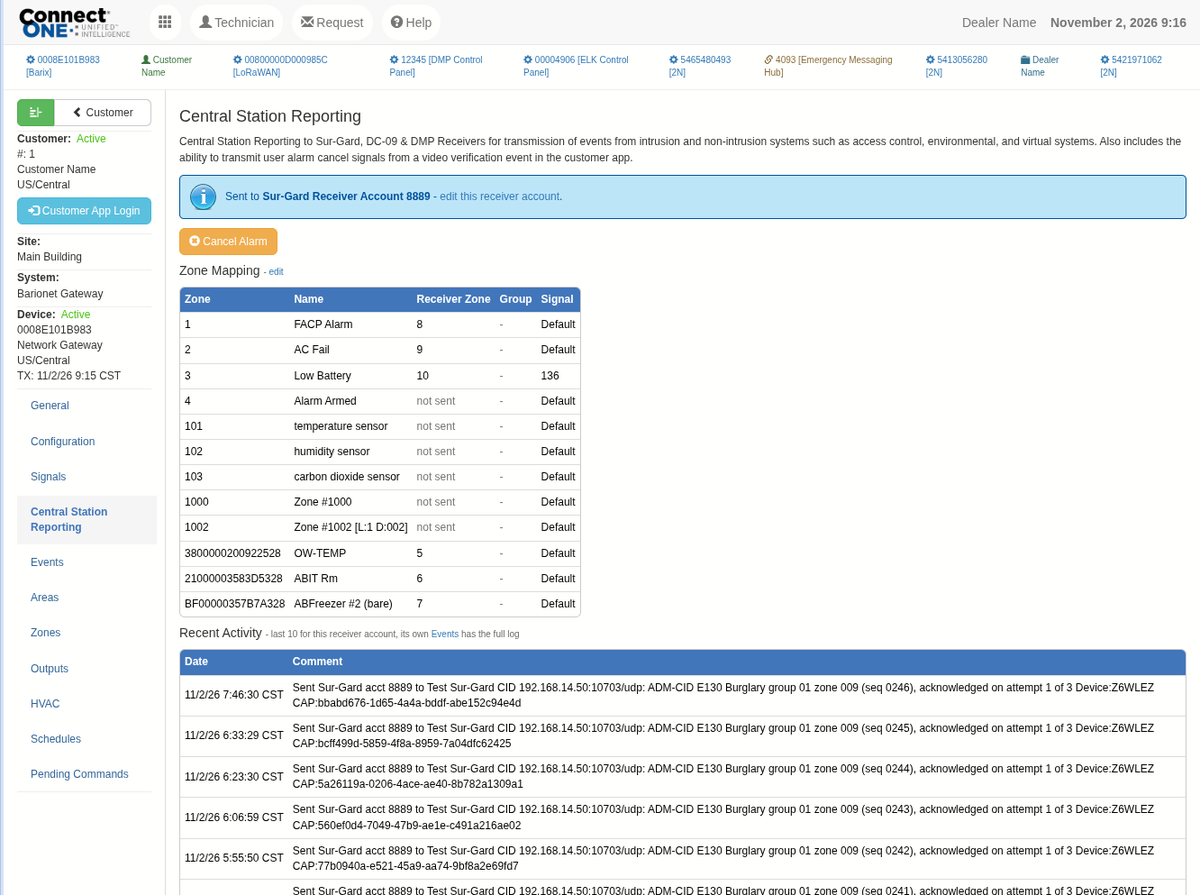
Central Station Reporting from Connect ONE

Report signals from any system on the account directly to your central station — not just intrusion panels.

Connect ONE can now transmit alarms straight to your central station receiver, including signals that have never had a path to monitoring before: access control, environmental, video, and virtual systems. Reporting works with SIA DC-09, Sur-Gard, and DMP receivers, in Contact ID, SIA-DCS, or DMP's native Serial 3 format — whichever your central station already expects. Each receiver account includes a zone map with per-zone signal overrides, rate limiting, temporary reporting disable, and a Send Test button to verify the connection on demand. Setup is found under the new Central Station Reporting tab on the device in the Dealer Application.

Cancel Alarms Without a Phone Call

When an alarm turns out to be false or has already been handled, a cancel signal can be sent to the central station directly from the video verification activity review. Dealers can send a cancel from the receiver account, and customers can be given their own Cancel Alarm button on the event, along with a "Transmitted to Central Station" indicator so they know the signal went out. Customer cancels are limited to a 10-minute window and can be used once per alarm.

Armed Camera Analytics

Camera analytic events such as person or vehicle detection can now report to the central station while the area is armed, turning your customers' existing NVR analytics into monitored alarms alongside every other signal on the account.

Environmental Sensors

Temperature and humidity zones report as environmental signals, and sensor troubles report on their own — a sensor going missing or running low on battery sends a dedicated trouble signal instead of a generic alarm, so the operator knows exactly what needs attention.

Severe Weather Monitoring

New National Weather Service alerts for the site can report directly to the central station by category — Environmental, Extreme Temperature, Severe Weather, Extreme Weather, and Emergency — so a tornado warning reaches monitoring the same way an alarm does, with no extra hardware on site.

Learn More about Central Station Reporting
Learn More about Video Verification
Learn More about Environmental Monitoring
Learn More about Severe Weather Monitoring

Unannounced Visitors — QR Code Self-Registration

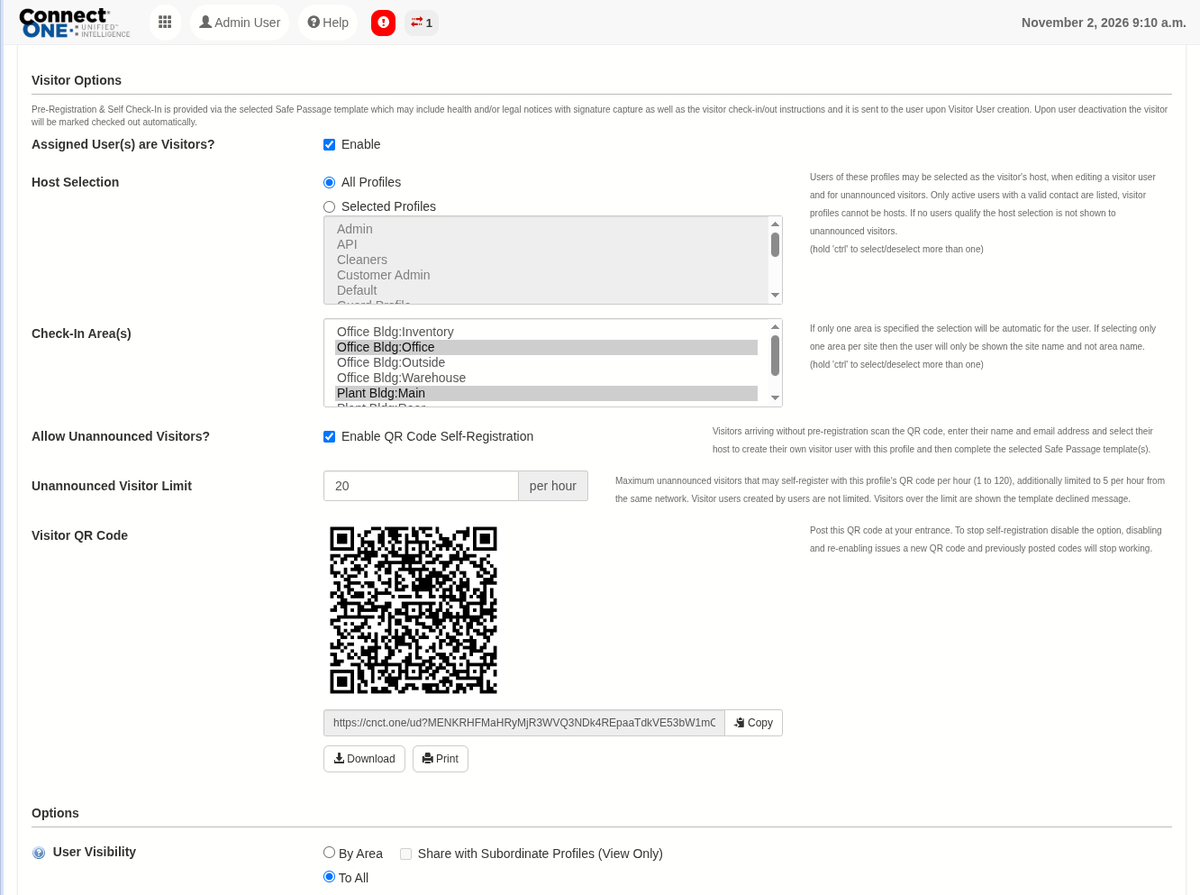
Walk-in guests can now register themselves. Post a QR code at the entrance, and visitors scan it, enter their name and email, and choose who they're there to see. Connect ONE creates their visitor account, they complete the Safe Passage forms on their own phone, then check in — and their host is notified. Enable it with the new Allow Unannounced Visitors? option on a visitor profile, which provides the QR code ready to copy, download, or print. Host Selection controls which profiles appear as hosts, an hourly limit (20 by default, up to 120) keeps self-registration under control, and turning the option off and back on issues a new QR code so any previously posted codes stop working. Walk-in registrations are easy to find with the new Show Unannounced Visitors filter on the user list and user report.

Learn More

Schedule, User & Access Updates

Week View on Schedule and Profile Lists

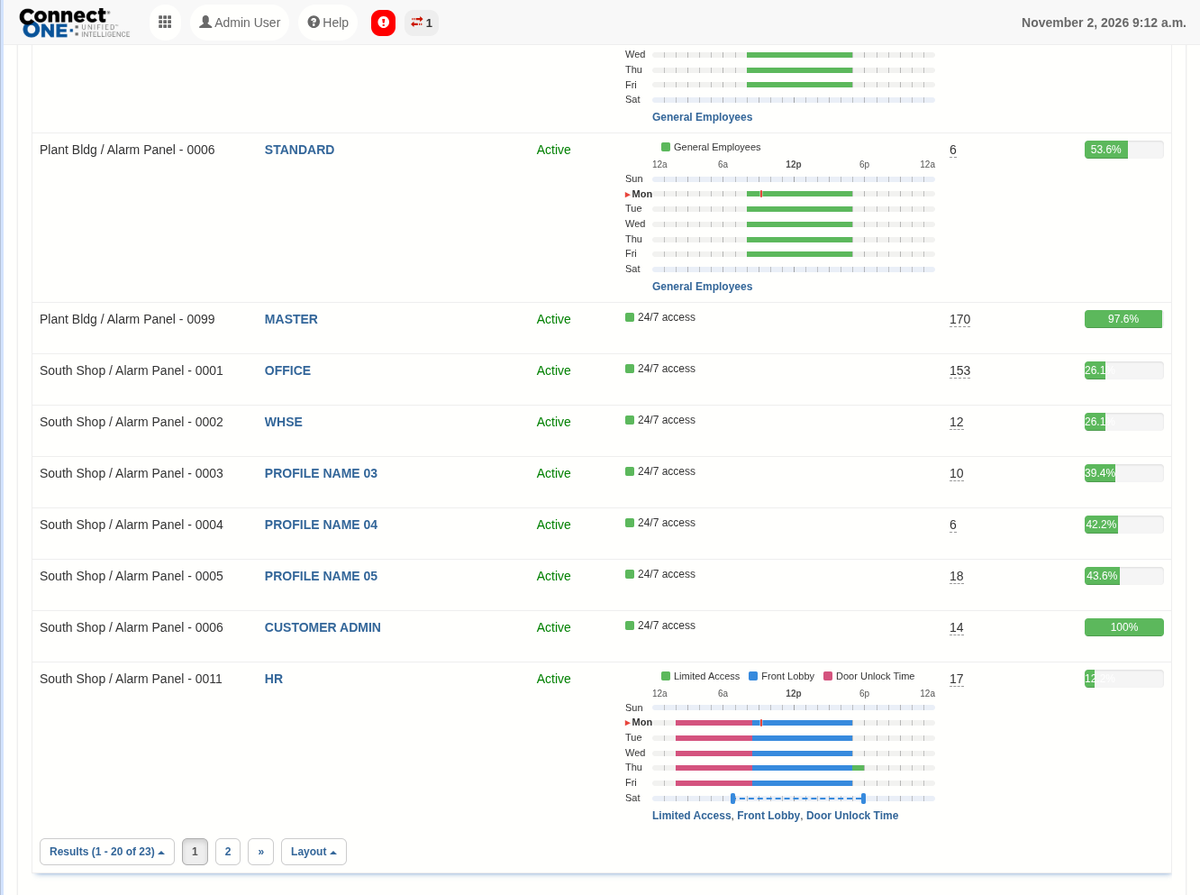
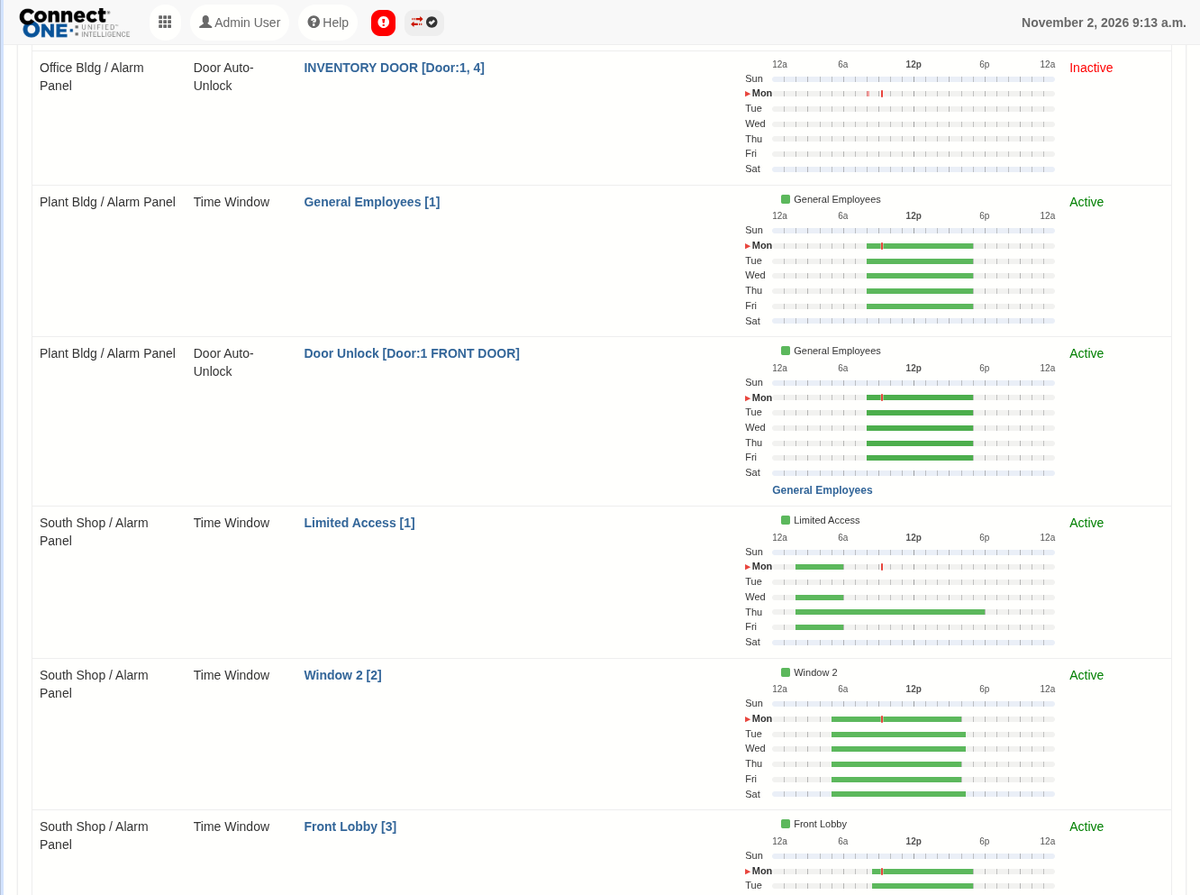
The Schedules and System Profiles lists now include a Week column that draws each schedule's or DMP profile's time windows right in the list — click it for the detail — so you can compare schedules at a glance without opening each one. Supported for DMP, Elk, Bosch (including Custom/User schedules), Honeywell, Cansec, and 2N. For DMP door and output schedules, the week view now shows when the door is actually unlocked based on its unlock and lock times. Overlapping DMP schedule times aren't combined — any lock time locks the door, even in the middle of another unlock period — so the week view makes these conflicts visible before they cause a door to lock early.

Import Users and Codes into a Template by CSV

Profile templates now have an Import option on their Assigned Users. Upload a CSV file and the users and codes are added or updated on every system in the template, with the template's profiles and permissions applied — the same result as Apply, in one step. Imports are faster across the board, and codes with a future activation date are added inactive and activated automatically on that date.

2N User Schedules and Holiday Management

2N door entry systems now support user schedules and holidays. Create up to 100 User schedules with up to 8 timeframes each (Sunday–Saturday plus Holiday), and up to 50 holidays that repeat every year or apply to a single year. Assign a schedule to a user's code or a template system, and use Save & Batch to copy a schedule to your other 2N systems. Existing time profiles are imported from the device automatically.

Learn More

Door Time Rules Now Check Each Door

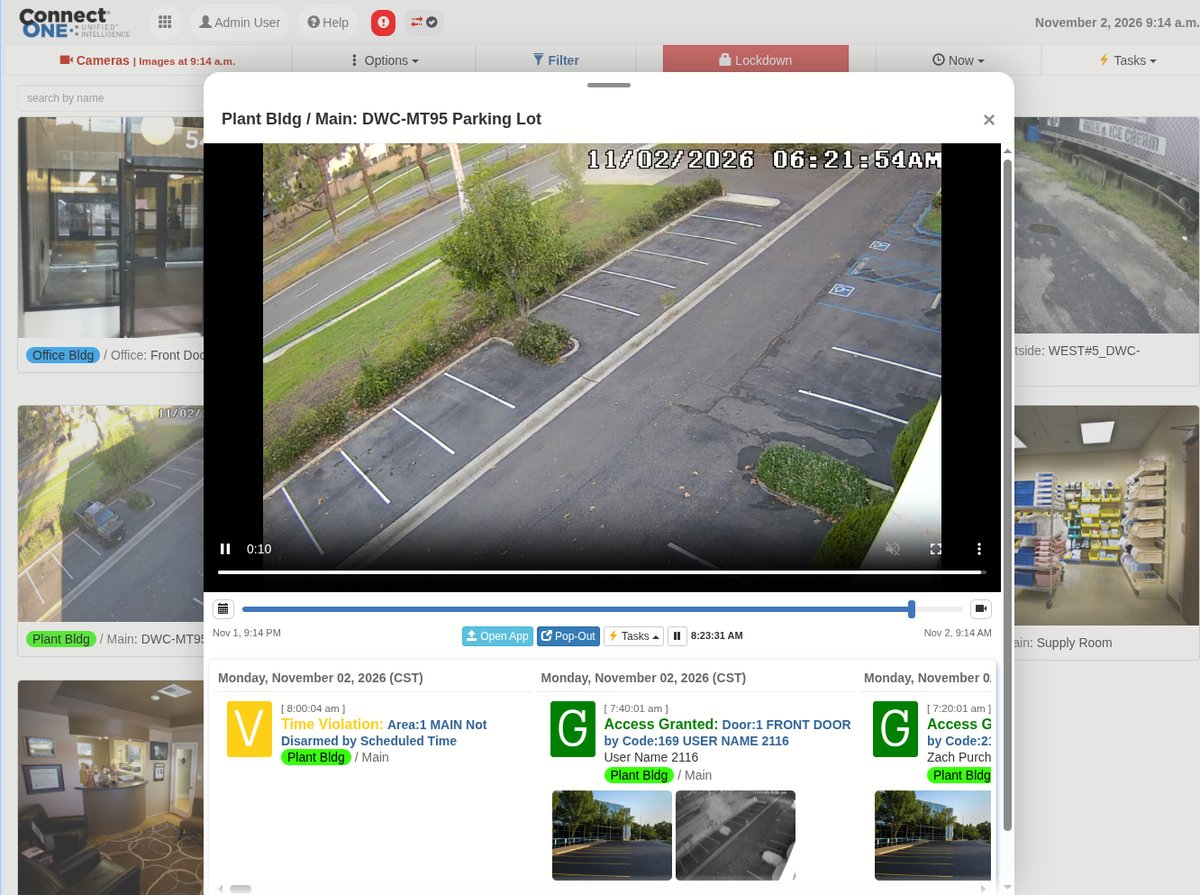
Access door Time Rules now check doors individually rather than by area, so a single door left locked or unlocked outside its expected time is flagged on its own and recorded as a Time Violation event.

Video Playback & Dealer Application Updates

Improved Video Playback for NX Optix Systems

Event video playback on NX Optix-based platforms, such as Digital Watchdog Spectrum and Hanwha Vision Wisenet WAVE, now uses the WebM video format, including on mobile, for smoother playback.

Learn More

Print and Export User Lists from the Dealer Application

The dealer and customer user lists in the Dealer Application now include a Print/Export option, with Export to CSV and Print. The lists also now show Created and Modified dates, which sort chronologically.

Featured Solutions That Help Dealers Differentiate

Give customers more than a security system. Give them a platform that helps them operate more efficiently.

A Winter Storm Warning Shouldn't Just Be a Notification. It Should Be a Plan.

With the Connect ONE Weather Monitoring Module, National Weather Service alerts, updated every 30 seconds, become events inside the platform your customers already use for access, video, intrusion, and fire. Rules built around each facility's own emergency procedures can put the response in motion, together and automatically:

  • PA announcements
  • Digital Signage
  • Strobe lights via Panel Outputs

Snow, ice, and extreme temperature changes can also trigger alerts and interact with thermostats. Weather readings such as temperature, humidity, and wind speed need no added hardware, and weather alerts can create cases automatically so there's a record of who responded and when.

For dealers, it's one more capability to bring to the accounts you already have, and alerts can report to your central station alongside every other signal on the account.

Give your customers a system that responds when the warning goes out. With winter coming, now is a good time to set this up for your customers.

Learn More

In Case You Missed It

New LoRaWAN Wireless Sensors

Long-Range Wireless Sensors, No Wiring Required

Connect ONE now supports LoRaWAN wireless sensors, giving you an easy way to add temperature, humidity, and door/window monitoring to a site without running a single wire. Sensors run on an approx. 4+ year battery life and communicate over a long-range wireless network to a gateway placed anywhere on the property — one gateway comfortably supports up to 500 sensors. Each sensor's battery level and signal strength show right on the Zones page, and a sensor can be swapped out in seconds if it ever needs replacing — the zone keeps its name, thresholds, and full history. Alarms from LoRaWAN sensors can also report directly to your central station alongside every other signal on the account. It's a fast, low-cost way to add monitoring points that would otherwise be impractical to wire.


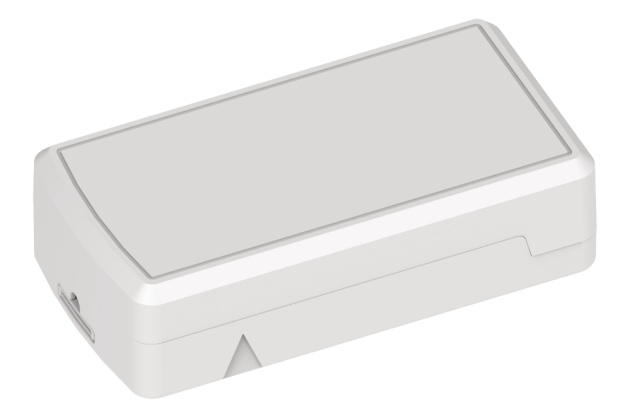
Temperature & Humidity Sensor
Onboard sensing in a single battery-powered unit — no external probe to place.

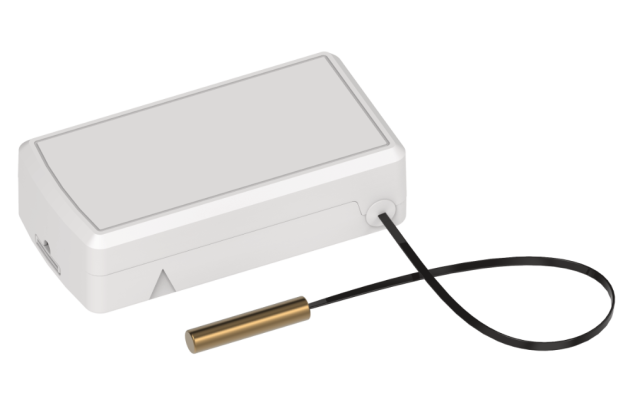
External Probe Temperature Sensor
A wired probe lets the transmitter sit outside a freezer, cooler, or enclosure while the probe reads the actual temperature inside.

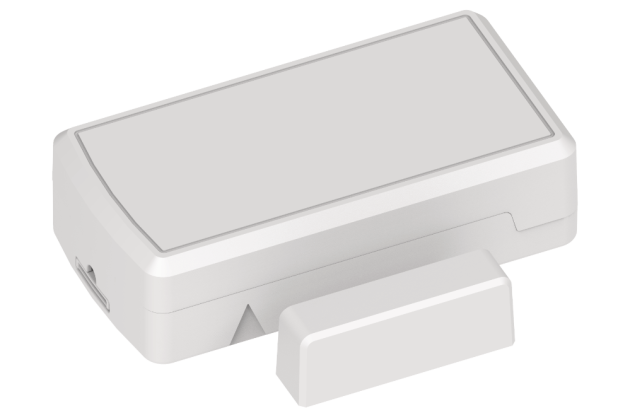
Door/Window Sensor with Temperature & Humidity
A magnetic contact for door/window monitoring, plus onboard temperature and humidity sensing, all in one unit.

Please refer to the Configuration tab for the Device on the Connect ONE Dealer Application Portal for step-by-step gateway and sensor setup instructions.

Learn More

NFC Wallet Cards — Now with Farpointe Conekt

Expand your mobile credential offering with our latest NFC Wallet Card integration and take advantage of aggressive new pricing.

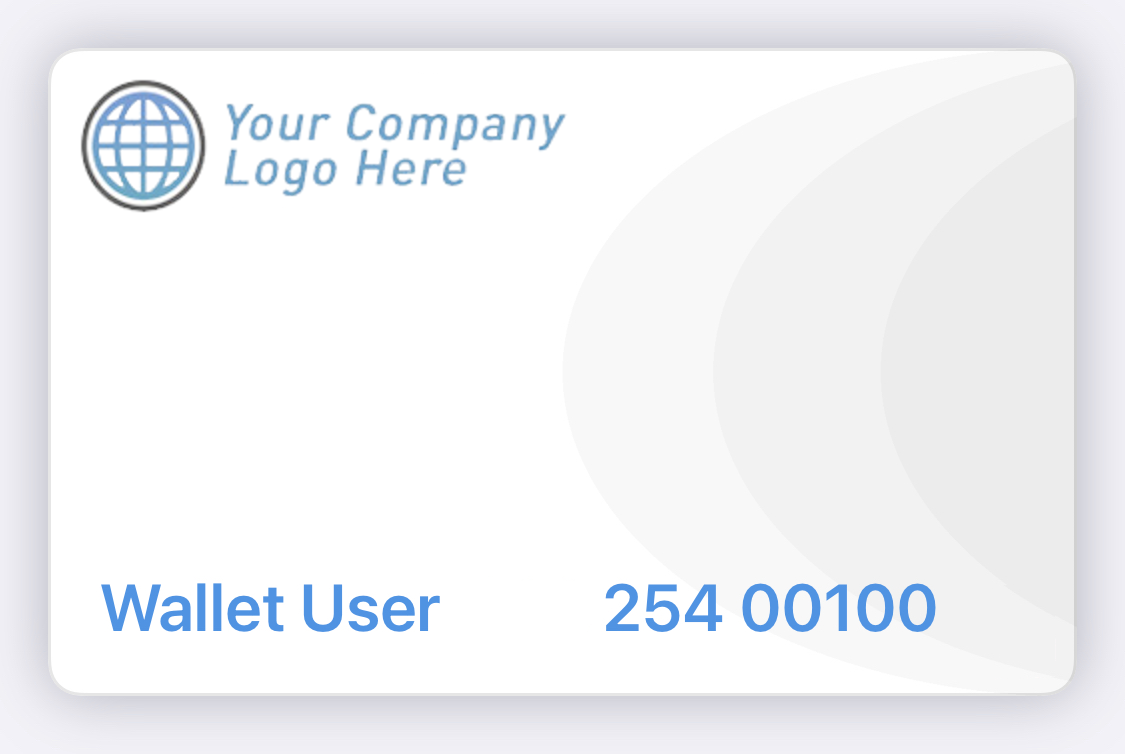
The Connect ONE Wallet Card Solution allows users to carry their access credential directly in Apple Wallet or Google Wallet. Users can simply hold their phone near a compatible reader—without opening an app or unlocking the device.

Works with Any Access System

Connect ONE manages provisioning of the wallet credential and transfers the associated card number into the access system of your choice.

  • No Third-Party App — Users receive an email or text with a link to add the credential directly to their Wallet.
  • Multi-Technology Readers — Works with Farpointe Conekt and Wavelynx Apex/Ethos readers.
  • Centralized Management — Wallet Cards are managed directly through Connect ONE.
  • Dealer Branding — Wallet Cards can display your company logo.


Please refer to the latest Price Guide in the Dealer App for our new aggressive pricing options.

Learn More

Referral Rewards

Referrals are always welcome and appreciated!
Once your referral signs, the first 3 months of service on your next account are on us.

Know another dealer who could benefit from Connect ONE? We'd love an introduction. Reply and let us know.

Give Us the Challenge...

Have a customer challenge that doesn't fit the usual solution? We'd like to hear about it.

We love hearing from our Dealers about challenges their customers are facing. Your request may lead to a new feature, integration, or solution that helps solve the problem—and gives you another opportunity to add value for your customers.

Send us your feedback

Keep Your Clients Informed

Ready-to-use content makes it easy to share Connect ONE updates, capabilities, and benefits with your customers.

  • Unified Intelligence™ in a single dashboard — Real-time security awareness delivered through a powerful cloud platform.
  • Streamlined User Management — Add or remove users across multiple locations instantly.
  • Real-Time Activity Monitoring — Generate reports across one or more locations quickly.
  • Cloud-Based Reliability — No downtime or data loss from hardware failures.
  • Cross-Platform Compatibility — Works across major operating systems and web browsers.
  • Mobile Convenience — Access Connect ONE through Apple and Google app stores.
  • Integrates — Intrusion, access, fire, analytics, and environmental devices in one platform.
  • Flexible and Scalable — Easily adapt systems as customer needs change.
  • Trusted — Used by organizations across financial, education, manufacturing, medical, and multifamily markets.

Stay Up-to-Date

We continue to share product enhancements, helpful resources, and feature updates through our Feature Blog and News Articles.

Be sure to review the Home tab in the Connect ONE Dealer App for helpful Sales Sheets, Technical Guides, and other resources.

We encourage you to check these resources regularly to stay informed and make the most of Connect ONE.

Working hard to Simplify all your System Integrations,
The Staff at Connected Technologies.

For more information regarding Connected Technologies™ or Connect ONE®, please visit www.GetConnectONE.com or call (866) 976-3520.

Connected Technologies, LLC., Monument, CO 80132-1266