

Feature Blog
236+ Feature Updates
September 1, 2016
Bosch Remote Connect Cloud Support
Bosch's Remote Connect service offers connectivity for Connect ONE and RPS without port forwarding and it universally allows for ethernet and/or cellular connection options. Network connections are provided with the onboard ethernet port and cellular connections are provided using the Bosch cellular radio add-on module. Router and firewall configuring is no longer necessary when using the Remote Connect service.
Read MoreAugust 15, 2016
Bosch B6512 Control Panel Support
Connect ONE now supports the latest Bosch B series control panel, the B6512, which: Provides up to 96 points using a combination of hardwired or wireless devices for installation flexibility and up to 6 areas with perimeter and interior control On-board Ethernet port for Conettix IP alarm communication and remote programming, compatible with modern IP networks including IPv6/IPv4, Auto-IP, and Universal Plug and Play Provides up to 4 access doors
Read More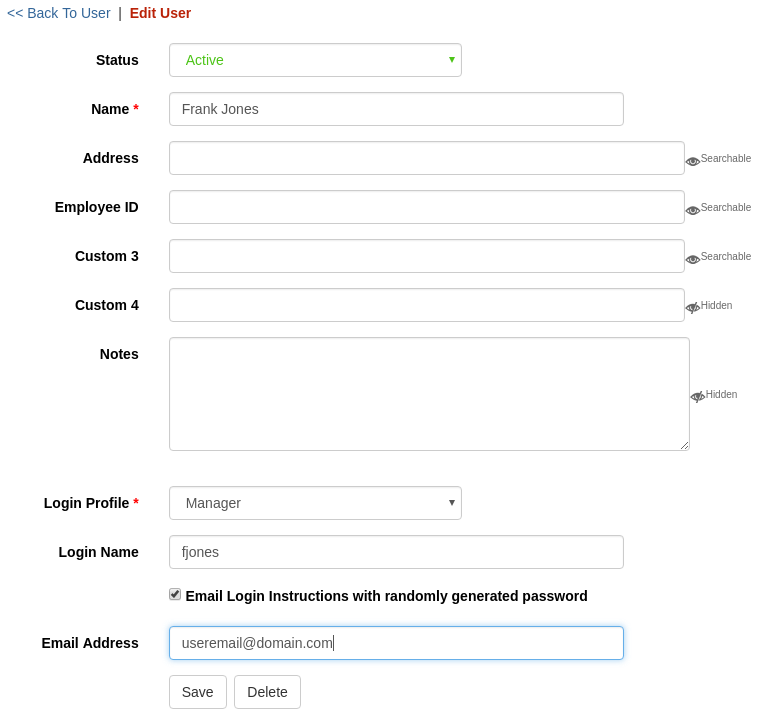
July 15, 2016
Email New User Login Instructions
A new time saving feature has been added which can automatically generate an email, to a created user login, all of the necessary instructions to login to the Connect ONE application. It will also randomly generate a password that the user can change when they login. The random password ensures strong security. The login instruction email may be generated from the Customer Site or the Dealer Site, allowing the dealer a quick and convenient method to emailing a new customer their login information and instructions. Another recent feature added was a password strength meter. This ...
Read More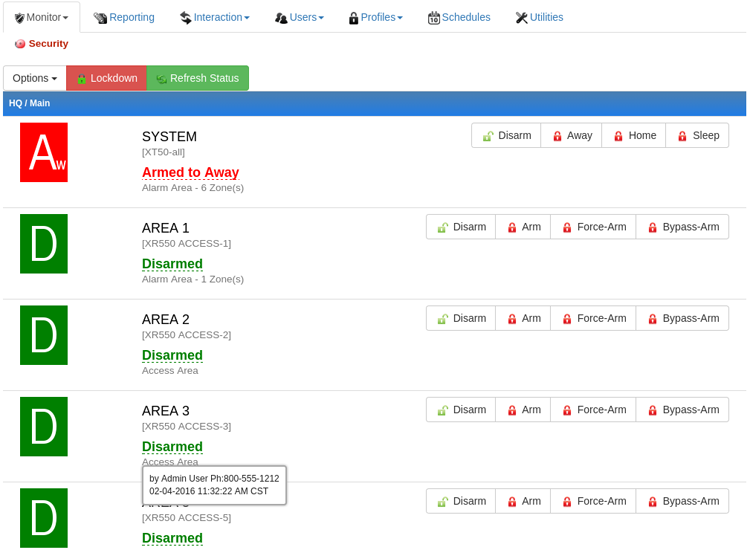
June 7, 2016
See who last Armed/Disarmed from the Arm/Disarm Menu
Now you can see who last armed or disarmed right from the Arm/Disarm menu where you can also change the arm status. This allows a quick reference to see who last armed or disarmed along with the time/date and the user's phone number to contact if needed.
Read MoreJune 7, 2016
Low/High Temperature/Humidity Alarm Thresholds Configurable by Your Customer
Now your customer can configure low/high alarm threshold levels for temperature and humidity sensors on their own. On the Utilities menu they can select Zones & Sensors and rename each sensor as well as set/adjust the low and high threshold level. Any change will be logged with the old and new value as an event. This will prevent any possible contention of who made the change. Previously this was a feature reserved for the dealer on the Dealer Site, now the dealer does not need to be involved with the decision of threshold level.
Read MoreMay 19, 2016
Output Group Management
Now you can add/modify/delete output groups on DMP XR panels right from the Dealer Site. Previously this task had to be performed in RemoteLink. Output groups are mainly used for Elevator Control with DMP panels. Now you can regroup floors quickly and effortlessly. For even better elevator control, view the Connect ONE Access Expander, which can handle multiple cabs and floors seamlessly in a user's profile.
Read More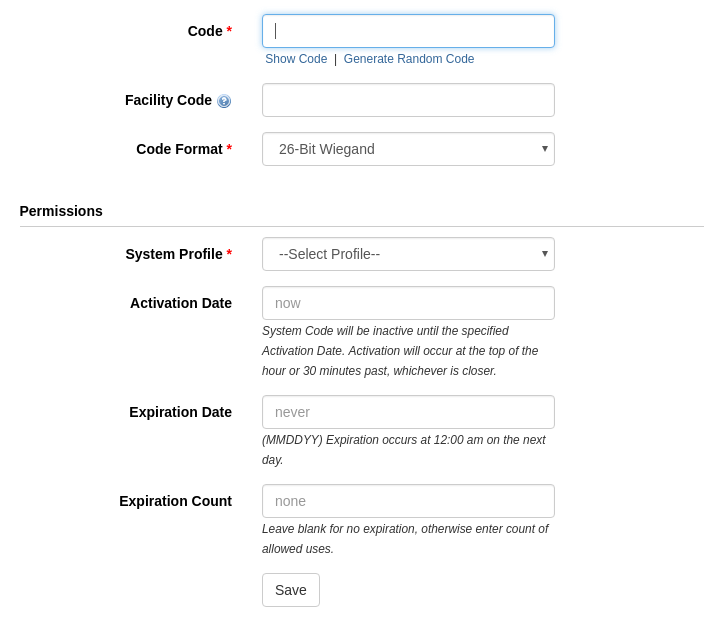
May 9, 2016
Code/Card Activation Date
Creating a new code/card in advance has never been easier since now you can set an activation date on a system code/card. This effectively allows you to have a user's information added ahead of their arrival without granting them permission to soon before its necessary. The Activation Date feature is available on all system control panels including ELK, Bosch, and DMP. ELK M1 systems with the Connect ONE Access Expander and DMP XR systems also have the benefit of including an Expiration Date. On those systems you can specify an automatic ...
Read More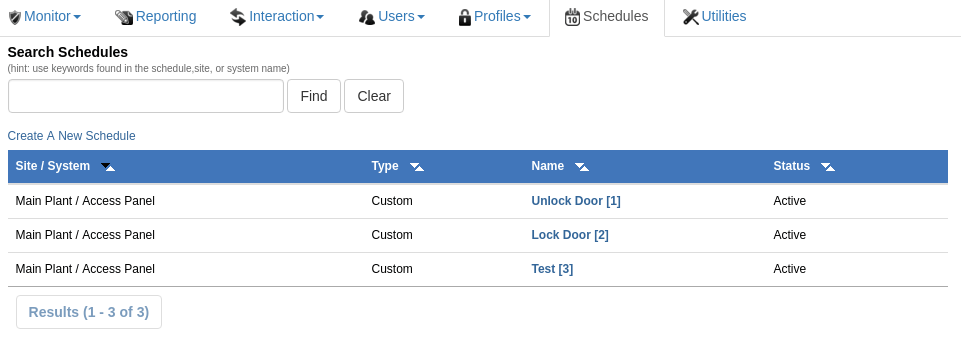
April 13, 2016
Bosch Skeds Support
Bosch Skeds are now supported in the B8512G and B9512G control panels. Customers can now edit existing skeds programmed in the control panel to modify the time/date, days of the week, and holiday execution of the schedule. Skeds appear on the Schedules tab of the Customer Site.
Read MoreApril 4, 2016
3rd Party Integration with Open UserAPI
The Connect ONE Access Expander just became even more powerful. It now supports the open UserAPI for 3rd party interfaces to add, modify, deactivate, and delete Users and System Codes. This is the perfect solution for Storage Facilities, Fitness Centers, or any other facility which has memberships. A new member can be assigned access without having to re-enter their information into Connect ONE - saving on double entries. Likewise when their membership has expired their access can automatically deactivate without any human intervention. Another great solution is integration with time & attendance or other HR programs to ...
Read More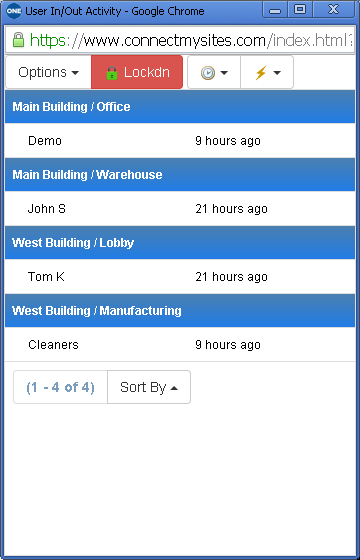
March 14, 2016
User In/Out & Exception Activity Dashboards Plus More
We've recently added new features that greatly enhance the customer experience: A User In/Out Activity Dashboard has been added. Available on any Monitor page, Options->View User In/Out. This will automatically update with user in/out activity for the last 24 hours in near real-time. This dashboard may be kept open to watch where people currently are within the customer's facilities. An Exception Activity Dashboard has been added. Available on any Monitor page, Options->View Exceptions. This will automatically update with door/output & zone exception activity in near real-time. &...
Read More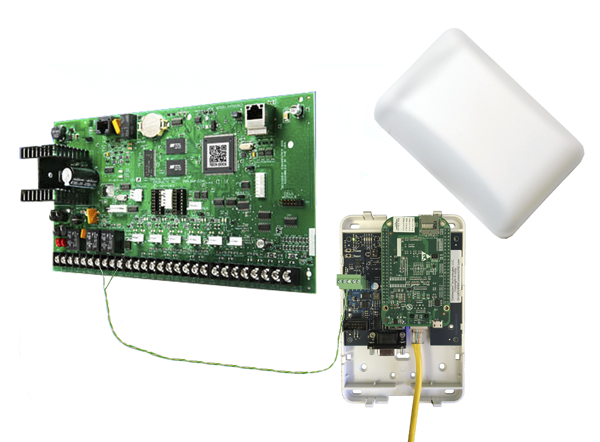
February 22, 2016
DMP XR Control Panels Now Support ScanPass® Mobile Credential
ScanPass Mobile Credential is the next generation in simplifying access control integrations.No longer is it necessary to purchase or install readers, cards or fobs, reducing system costs for both dealers and their customers. Installation is as easy as putting a barcode sticker on the door. A smartphone reads the barcode to identify the door and a unique credential in the phone is used to identify the individual. ScanPass is managed the same as a card or fob. It's that simple! Compatible with: NEW! DMP XR150, XR350, and XR550 Control Panels ELK M1 Gold and EZ8 Control Panels &...
Read MoreJanuary 22, 2016
DMP XR550 with 96 Access Door Capacity Now Supported
DMP recently announced version 111 firmware for the XR550 control panel which expands its access control capability from 16 doors to 96 doors. Connect ONE fully supports the additional door capacity. A XR550 panel is now 32 door capable out of the box with two additional 32 door feature codes which can be ordered separately. This will accommodate larger systems without the necessity to stack control panels.
Read MoreShowing 181-192 of 236 features