

Feature Blog
236+ Feature Updates
March 11, 2015
Dealer Override of Door, Output, & Zone Names
Now you can use the names stored in the panel for more technical oriented descriptions such as device locations and you have the option to override those names to customer friendly descriptions from the dealer website. Plus as an added benefit you won't lose the technical description when viewed from the dealer website. So a technician using SmartTest will see both the customer friendly name and the specific technical name/location in the same place. This is one more example of our commitment to providing the best overall experience to not only your customer but also ...
Read MoreMarch 5, 2015
NEW & Improved User Portal! One Interface for All Devices
Same use on desktop/mobile browsers as well as the mobile app for andoird and ios Now only one interface to learn and support! Responsive DesignNo more zooming - All functions have the same ease of use no matter what screen size Monitor SectionTwo New Pages - Security & Automation Security shows Arming Areas and Zones on the same page Now you can Bypass an individual zone and Arm at the same time Automation shows Doors, Outputs, HVAC, Lights, & Tasks on the same page Easier Flow to CommandsNow you select your control commands and the Send button will ...
Read MoreJanuary 27, 2015
Close More Sales with Connect ONE® SmartShow™
Connect ONE® is the only interface you need for all your customer’s integrations - security, access control, video monitoring, energy management and critical temperature monitoring. Now it’s easier than ever to sell Connect ONE® with SmartShow™, the industry’s first vertical-market-specific virtual demonstration. No more sales demos illustrating unrelated projects that leave prospects scratching their heads wondering if you REALLY have the capabilities they need. With SmartShow, demos are tailored to the customer’s premises, illustrating zones, for example, that pertain to their vertical, as well as industry-specific video camera ...
Read MoreJanuary 23, 2015
Video Event Share, ELK Direct Connects & More!
Video Event Share Upon receiving a video event there is a new share icon which allows you to share the event with anyone else via email / text messaging. Since the video verification is NOT just alarm but any event, this could be used for a co-worker, family member, first responder, central station, etc. Use this feature in combination with the SmartShow presentation to send your prospect a video event right to their email. ELK M1 Now Supports Network Direct Connections Now your customer can enjoy immediate commands on ELK M1 systems via a Network Direct Connect. This ...
Read More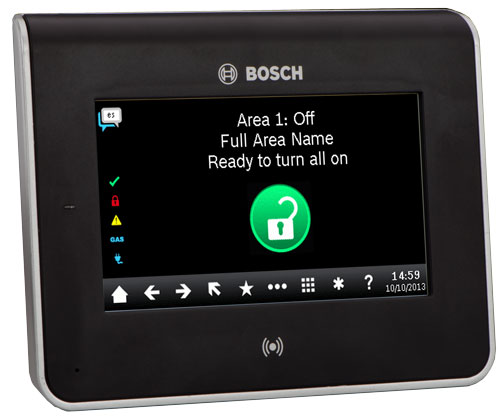
December 18, 2014
Bosch Intrusion Panel Support & More
Bosch B Series Intrusion Control Panels Now Integrated New exciting capabilities for Bosch B Series Panels Real-Time Activity Area Status plus Arming and Disarming Zone Status plus Bypass and Unbypass Output Status plus On and Off Reporting (Storage of events for up to 1 year) User Code Add, Edit, Delete, Deactivate Authority Level Viewing Automatic System Time Update Alarm Bell Silence Sensor Reset System Status View - AC Power / Battery Interactions with Thermostats & Video Thermostat Setbacks based on Arming Status Video Verification of Alarm, Arming/Disarming, or any other Event Interactions with SMS & Email plus Pop-Up ...
Read More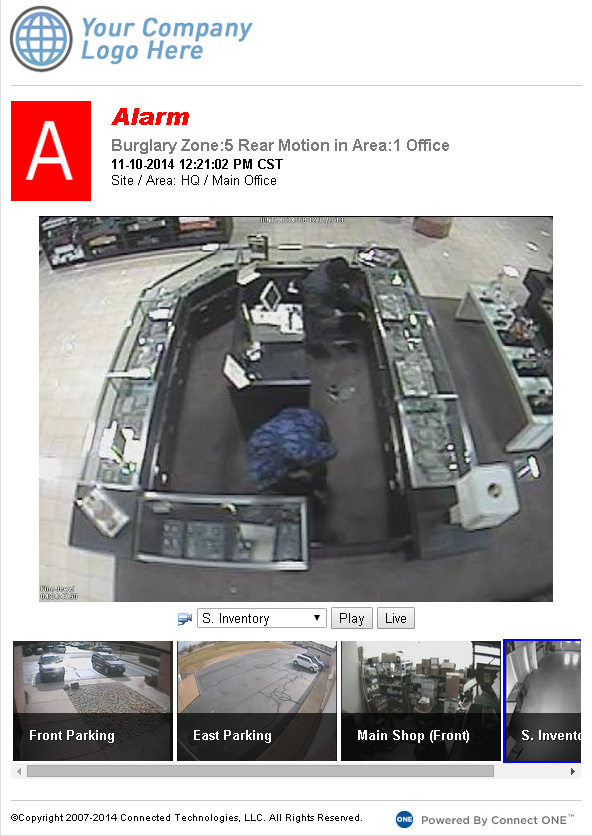
November 17, 2014
Video Verification, Triggered Lockdown & More!
Video Verification - Simple, Affordable, Powerful Deliver even more value to your customers on the PRO Service Level with included video verification. Now Interaction Rules can be configured to capture snapshots of up to 5 cameras which will be stored in the cloud for one year. The customer can view the recorded snapshots along with live video onscreen in real-time, through generated reports, and via email when the event occurred. The snapshot capture and live viewing works with all compatible DVR,NVR, IP camera devices (see logos on the partner page) and on ExacqVision/GanzVision devices ...
Read More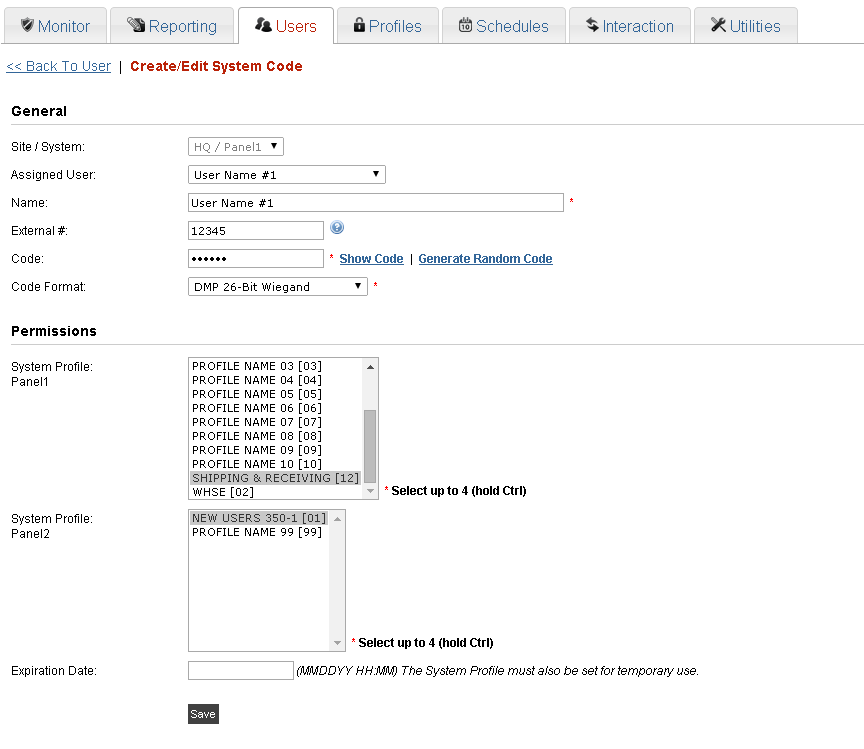
September 17, 2014
Master/Slave Panel Configuration
Master/Slave Panel Configuration so the customer can manage one code and Connect ONE will handle the programming for each slave panel in the background. This applies to systems which require multiple panels to handle a large number of access doors. Previously the customer would see all the codes for each panel separately. A new option exists for DMP XR series panels to allow a master and slave selection. The customer now only needs to view/modify the code on the master panel and all the slave panels will be handled automatically by Connect ONE. Below is a screenshot ...
Read More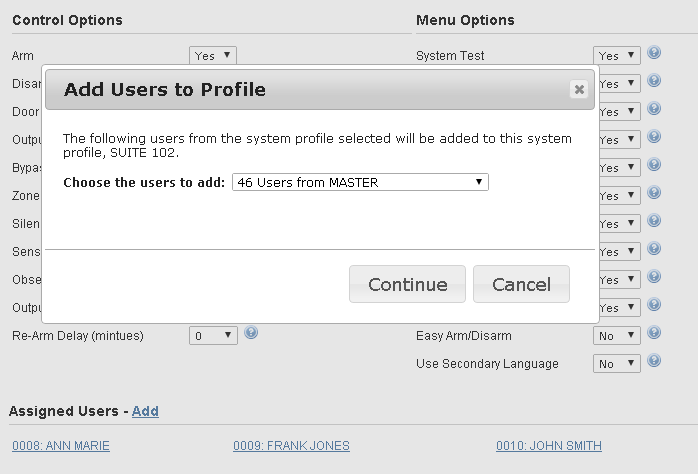
August 28, 2014
Bulk Add Users / New Profile Layout / New Search / New Dealer Login Permissions
Bulk Update/Add Users by Profile for DMP XR Series Panels Now your customers have a simplified way to add another profile to an existing group of users or they can also add an existing group of users from one panel to another panel with the selected profile. This is handy when a group of users need another profile added to their code or when adding a new panel to an existing account, now groups of users can be added to the new panel very quickly. This feature helped a customer add a 2nd profile to 355 users all at ...
Read More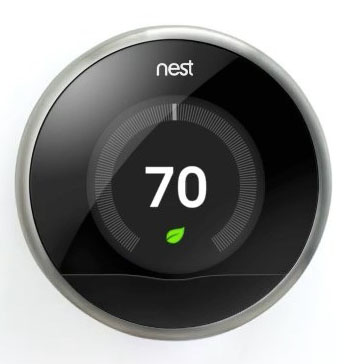
August 5, 2014
Nest Thermostats Now Integrated with Connect ONE
Now your customer can enjoy energy management via the Nest Thermostat and integrate it with DMP and ELK control panels via Connect ONE. They can also use Connect ONE to control their Nest thermostats and view current temperature and modes. The integration requires zero hardware other than the Wifi Nest Thermostat and the DMP or ELK control panel, all the magic happens in the cloud with Connect ONE.
Read More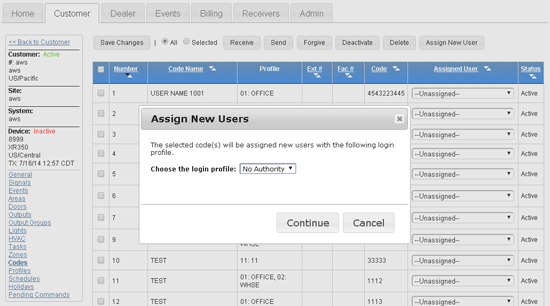
July 17, 2014
New Account Setup just got Easier
There is a new button now on the dealer site when you go to the codes for a device. It's labeled "Assign New User". You can first check the codes you want or choose All at the top then click the button. It will ask you what login profile to use and click continue. All codes selected will get new users created for them automatically.
Read More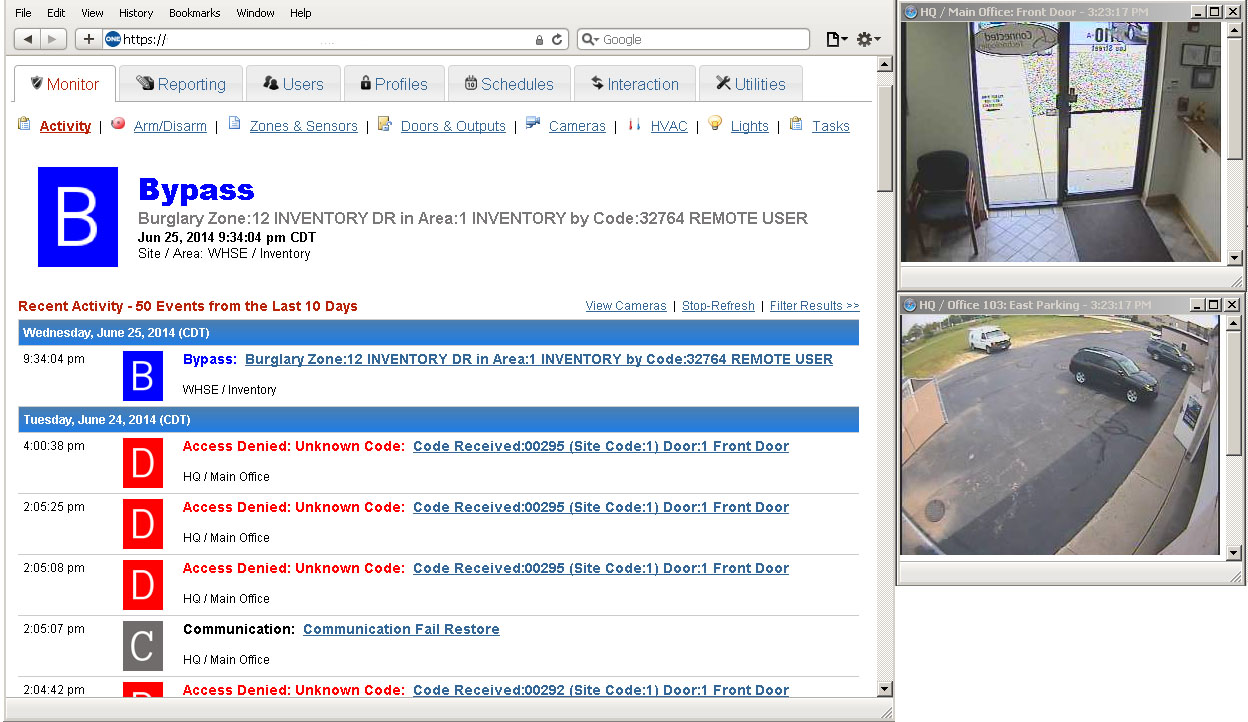
June 27, 2014
Video Pop-Out Window Option
Now your customer can choose the Pop-Out option for a camera window. This will open the camera view in a new window that can be placed anywhere on the desktop, including another monitor. Now the camera window will remain open no matter what page they're on, i.e. they can be changing a user code and the video can still be viewed. They can pop-out as many camera windows as will fit on their screen. They still have all the same options for increasing the resolution and quality as well. Except now those values are also saved. This way ...
Read More
June 24, 2014
iPhone/iPad App - Now Available in the iTunes Store
The App supports all of the mobile features and is now available for download from the iTunes Store. This will provide a easier path for the customer to use the app without needing to store the bookmark icon to their homescreen. View in iTunes Store
Read MoreShowing 205-216 of 236 features