


Feature Blog
236+ Feature Updates
June 6, 2014
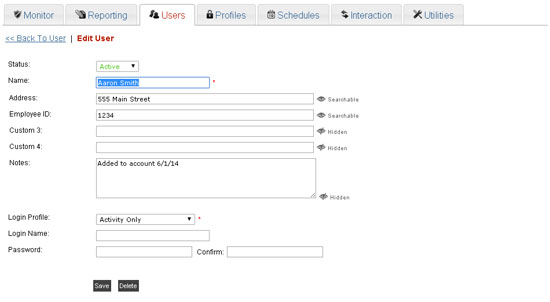
Custom Fields & New Reporting Layout
Custom Fields available for storing User Information! Now your customer can individually name and store up to five custom fields of information about a user. Each field may be set to be searchable or hidden. If set to searchable then the contents will be shown in the user list and will allow for sorting and searching of the information. New Reporting Layout! Now a single screen shows predefined reports and your customer's custom reports.
Read More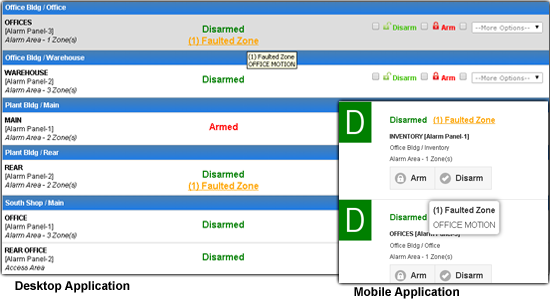
June 2, 2014
Faulted Zones are now displayed alongside the Arming Status
Now faulted zones are shown when the area is disarmed, hovering or tapping will show a list of zones faulted.
Read MoreMay 23, 2014
New Arming Modes Supported & Desktop/Mobile Updated
Updates for Arming Mode Selections! DMP Panels - All/Perimeter & Home/Sleep/Away Arming Modes are Now Supported including the default Area Arming Mode. A new option has been added to the dealer site allowing you to set the arming mode of the panel. If you change the mode from the default area mode, the customer will see their entire system with the correct arming modes available. The arming mode option is configurable on the device general page under options on the dealer site. ELK Panels - Show/Hide Arming Options Now Supported. A new option has been ...
Read More
April 29, 2014
Android App Now Available & Mobile Updated
Android App - Now Available in the Play Store! The App supports all of the mobile features and is now available for download from the Google Play Store. This will provide a easier path for the customer to use the app without needing to store the bookmark icon to their homescreen. Updated Mobile Application for all Devices! The Mobile Application for all devices has been updated: Improved Look & Feel Improved Performance Faster & Better Quality when Viewing Video "Set to My Home Page" button added - i.e. default to the Arm/Disarm page.
Read MoreApril 7, 2014
Updated Code Deactivation Plus More
Updated Code Deactivation on DMP XR Panels! When a code is deactivated instead of being deleted from the control panel, the code information remains with the profile number set to zero. Now when the user attempts to use their code, card, keyfob, etc. the control panel will be able to match it to the user and it will report Access Denied: Unauthorized, Invalid Profile with the user's name to Connect ONE. This will allow the customer to see if a deactivated user attempts to access the building. Previously the control panel would report an Access Denied: Unknown Code without ...
Read More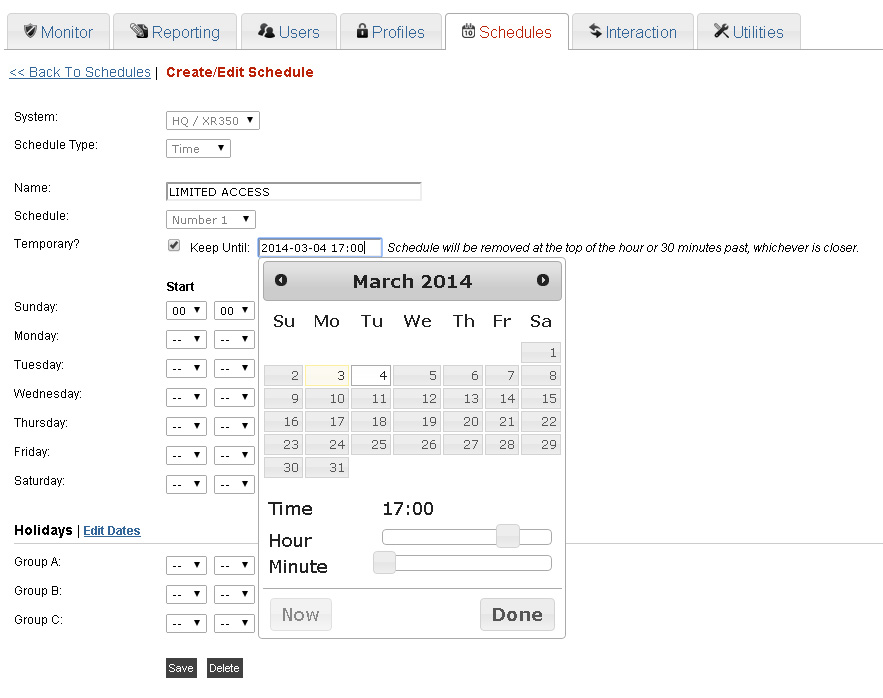
March 6, 2014
New Temporary Schedule Option
A new option is added to any Time, Area, Door, or Output Schedule which allows it to become temporary and therefore it will automatically be removed after the time specified. This is great when the customer requires a door to be unlocked at certain times each day but only for the next week. Previously that schedule would need to be removed manually, whereas now Connect ONE will automatically remove the schedule.
Read MoreMarch 3, 2014
SmartTest Expanded, New Temperature Logging Intervals, & More
Alarm Silence and Sensor Reset buttons added to SmartTest. Now when testing alarm zones the bell can be silenced quickly and the sensor reset can be accessed when testing fire zones. Maximum session expiration setting added to Login Profile. Now the customer can limit a user to only certain expiration settings. For instance, they may want to restrict a guard so they only stay logged in for 90 minutes and do not allow the Stay Logged In option. This ensures that if they forget to logout after their shift, they won't remain logged in forever. Also, the customer does have ...
Read More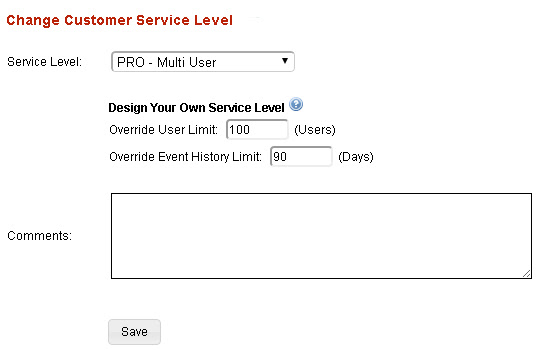
February 14, 2014
Design Your own Service Levels
Now you can design and build your own service levels by setting an override on the customer service level. You can take our PRO version and break it up into multiple levels. For example you can have a standard PRO level of 100 users and 90 days of event history. Then build additional service levels to expand the user count and event history. This will increase your RMR and profit margin as the needs of that customer grow. Regardless of how you use the overrides your cost will not change.
Read More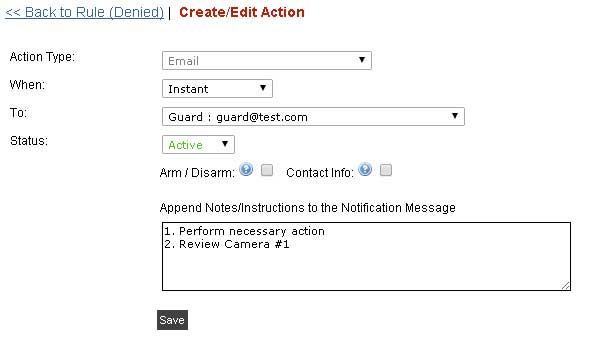
January 30, 2014
Append a Custom Message to Any Email Notification
Now your customer can add their own custom message to any email notification. The use could be a general note or message, or possibly a list of instructions listing the proper action to take. Each person notified can have their own message. Notification Edit Screenshot Example of Email Notification: (Custom Message appears after the timestamp) Subject: Event from Office Building Alarm: Supervisory Zone:5 Water Alarm 1-28-14 10:25 AM Call the plumber, 800-555-1212 Example of Email Notification: (Custom Message appears after the user) Subject: Event from Hospital Command: System Lockdown Command [ ER Panel @ Hospital ] 1-28-14 10:25 AM ...
Read More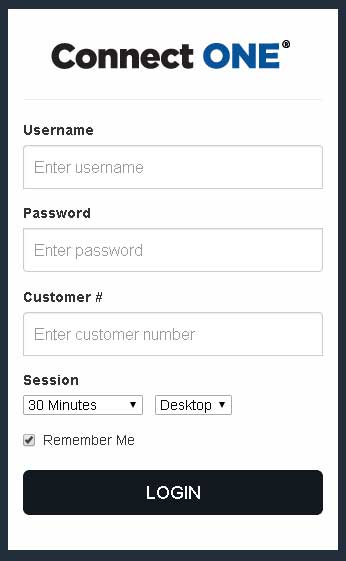
January 27, 2014
Unified Customer Login for both Desktop and Mobile Applications
Now your customer can use the same login screen to take them to either the desktop or the mobile application. The default action for smart phones and tablets will be the mobile site but the customer can override this setting using the dropdown box. Remember you can build the customer login into your website so you can continually promote your products and services. Please contact us to get the updated html code to use on your website.
Read More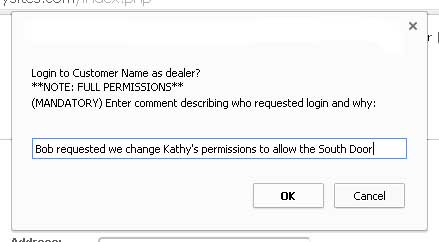
January 14, 2014
Central Station Operator & Support Staff Permissions
Now you can set a login to the dealer site to view only permissions and still allow access to the customer site via the "login as dealer" option. This is great for central station operators or customer support staff that only require access to the customer site to make a quick user change or run a report but don't require any dealer site configuration changes. Users with view only access will be allowed to login to the customer site but they will be required to input a mandatory message about who requested they login and why. This message is ...
Read More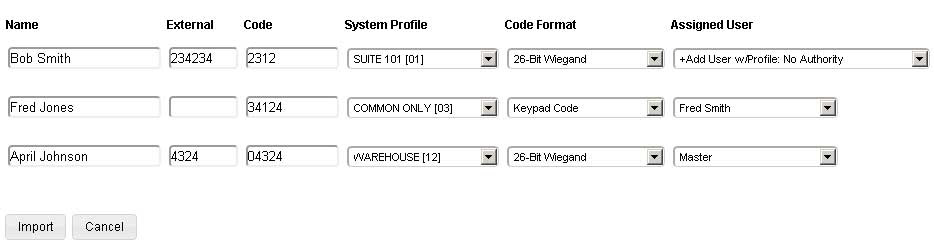
January 13, 2014
Import Utility & System Status Screen
Code Import Utility Now you can easily add new codes. update existing, copy panels, all from one import list. Simply create a comma separated list (csv) from excel and upload it on the dealer site. You only need to upload the code name, external number (optional), and code digits. Once uploaded you can apply whichever profiles you want and Connect ONE will either create a new user or match the code to an existing user. Everything is done in one simple step. System Status at a Glance Now your customers can go to one ...
Read MoreShowing 217-228 of 236 features