


Feature Blog
236+ Feature Updates
March 19, 2020
OpenEye Integration Improved
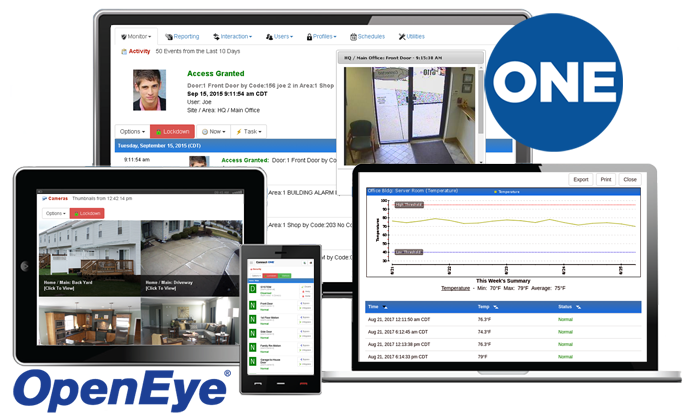
The video integration with OpenEye systems has been improved for increased compatibility with certain systems when using the soon to be released Apex version 2.1 firmware.
Read More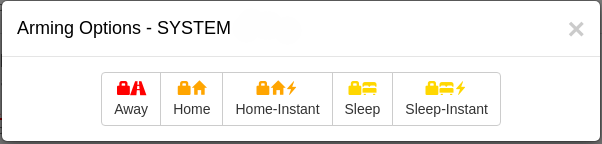
March 13, 2020
DMP Instant Arming Modes Now Supported
A new "Arming Mode" option has been added for DMP systems on the Device->General page of the Dealer Site. The option enables Instant arming commands shown in screenshots below when using the Home/Sleep/Away option or the All/Perimeter option. There continues to be an option to hide the Instant arming modes if desired.
Read More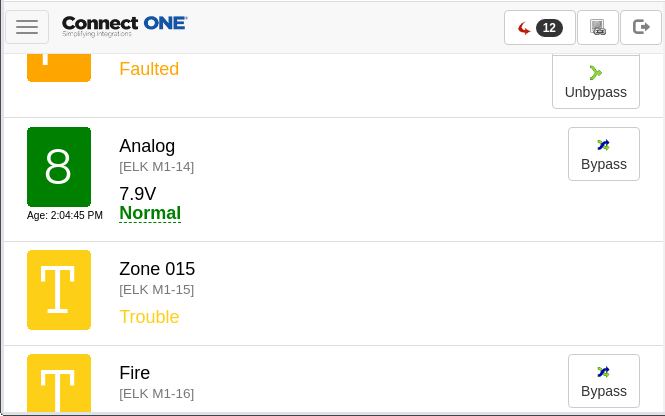
February 19, 2020
Elk M1 Analog Zone Voltage Readout
Now when a zone in the Elk M1 control panel is set as an analog zone type, the voltage readout will appear next to the zone status. For reporting and notification triggers of voltage outside of the desired threshold: you may configure M1 rules to send an alarm message to Connect ONE which can be viewed in activity and reporting along with processing via Event Rules for notification and other system interaction.
Read More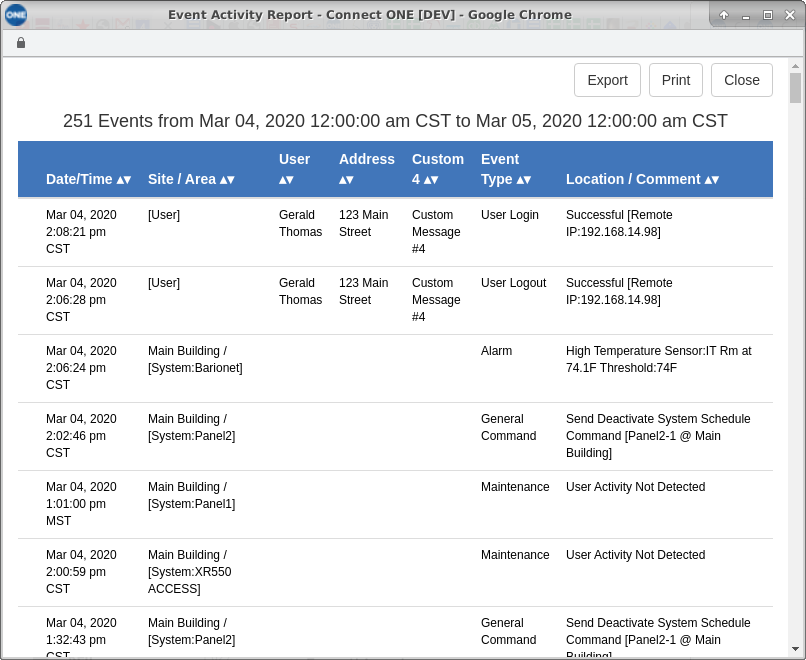
February 6, 2020
Reports Improved
The maximum event count returned in a single report has been increased from 5,000 events to 20,000 events. This allows for a wider time range to be returned in a single report when your customer has many events. Furthermore, if your customer has any user custom fields set to searchable, those fields will appear as a sortable column in the report along with the user information pertaining to the event.
Read More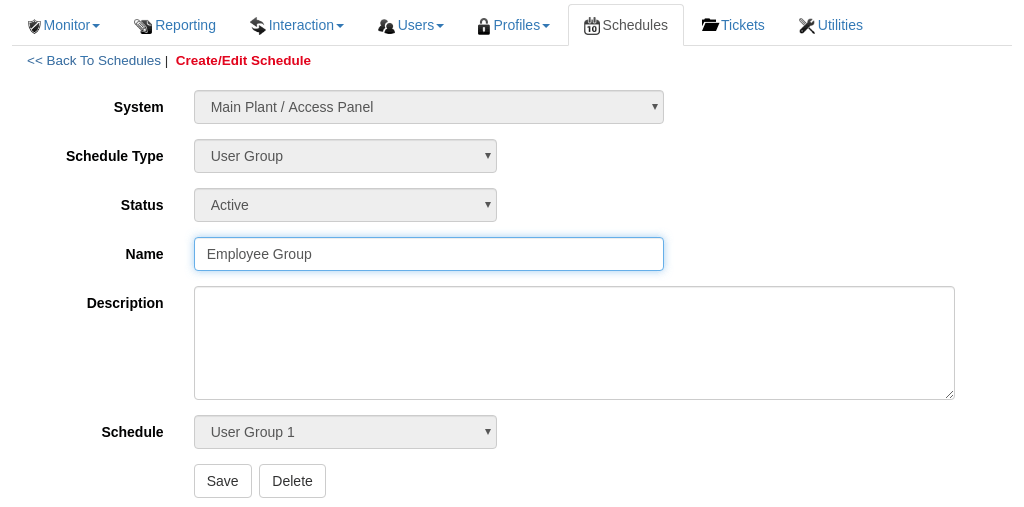
February 5, 2020
Bosch B/G User Group Window Update
Now User Group Windows may be named for quick reference Your customer can now set a name and description of each user group window. The time parameters will still need to be preconfigured with RPS however once the name is applied to the window your customer will easily be able to decipher the usage of that window when applying it to the user's passcode/card (shown below) or to a system profile template.
Read More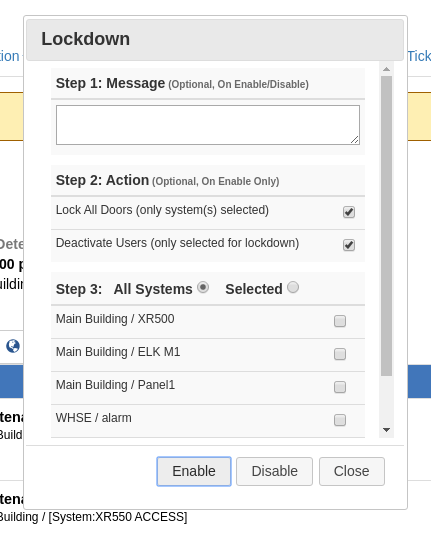
January 29, 2020
Lockdown Options Expanded
The lockdown popup window has been revamped to show an easier to follow flow of steps as well as now allows the actions to be individually selected and can be deselected entirely. Perhaps your customer does not want the doors to lock or users deactivated but rather just wants to set a message to appear across the top of all screens in the application and to be sent out as a notification with a preconfigured Event Rule. Now this is is possible.
Read More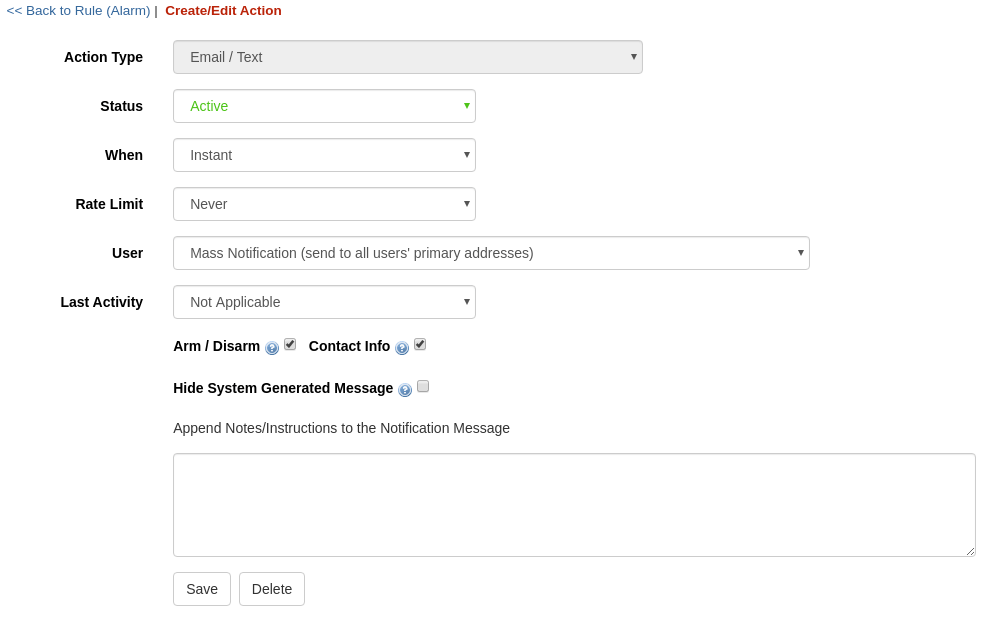
January 28, 2020
Mass Notification and User Contact Updates
A new option for Mass Notification to user contacts is available for email, text messaging, and push notifications. The Mass Notification feature allows for a 'blanket' rule to send to all primary, secondary, tertiary, or other priority user contacts without needing to specify each user individually in the rule action.Furthermore there is now also a parameter added to allow for restricting the notification to occur only to users which have last accessed the Site referenced in the event within a time period. This way if the notification occurs during 3rd shift it doesn't notify users ...
Read More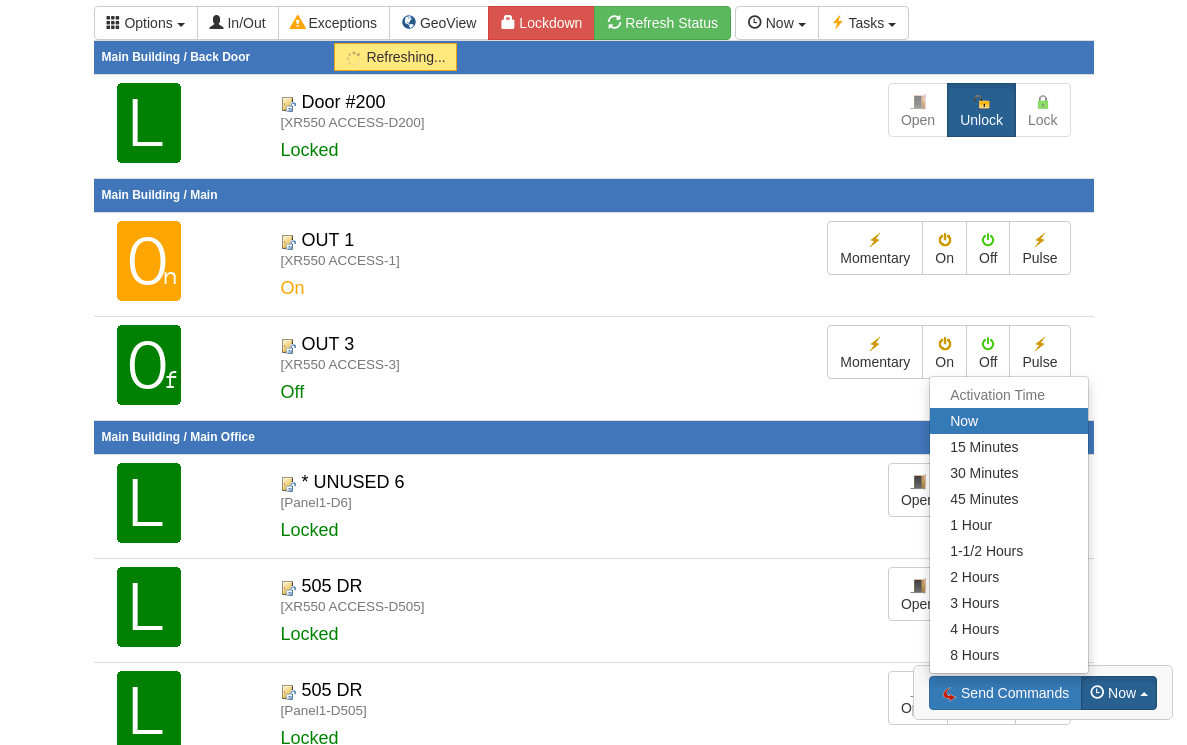
January 28, 2020
Send Any Command with Delay Parameter
Now ANY command from the Monitor screens can be sent with a delayed action. Previously commands could only be sent with a delay when configured within a Task Rule. When selecting the command(s) to send there is a clock icon next to the Send Commands button at the bottom of the screen. Pressing it will give the options shown below which allow your customer to selectively add a delay parameter before the command will actually process to the system(s). A good example of this is for a timed unlock of a door. You ...
Read More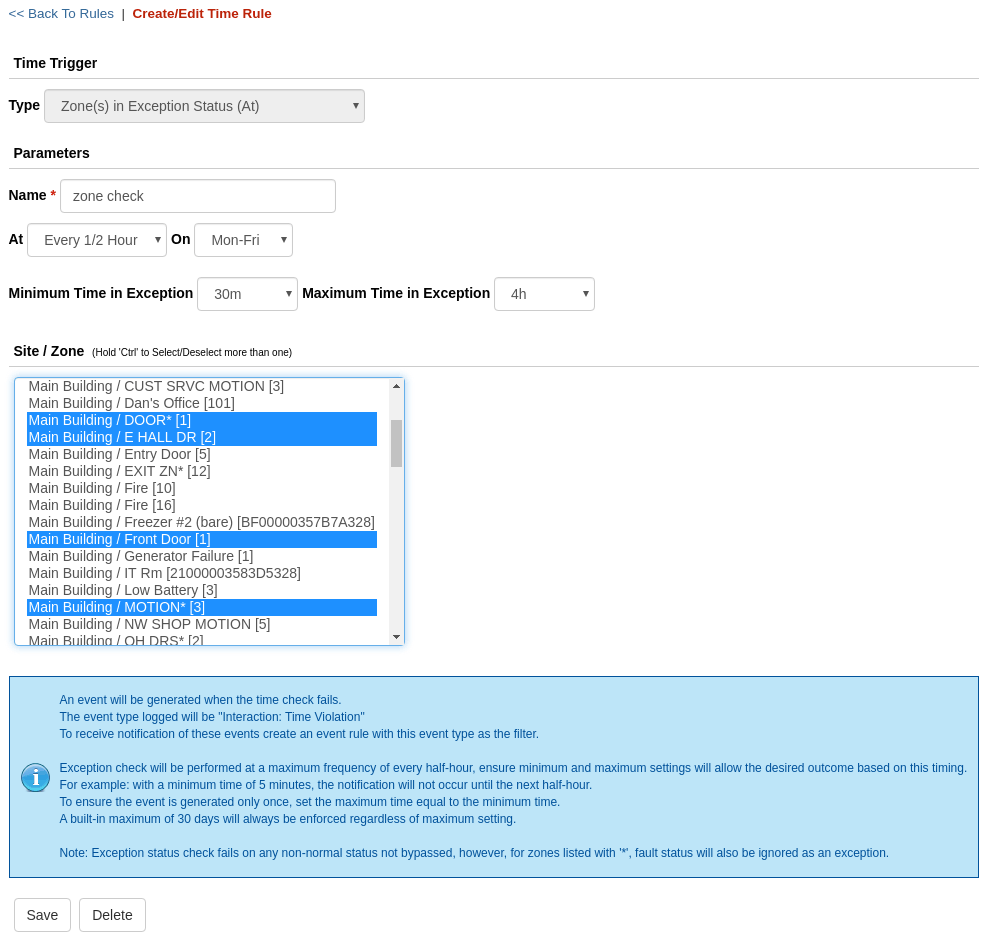
January 6, 2020
Zone Exception Time Rules
New Time Rules are now available, Zone(s) in Exception, Zone(s) Bypassed, and Zone(s) Not Active. These new Time Rules allow for monitoring zone conditions when they persist or in the case of the "Not Active" rule, aren't activated, after a specified duration. These rules allow for a check of the zone(s) at a specific time (or multiple times) of the day, as well as they can also be checked after a specified duration has elapsed.For Example: You may configure a Zone(s) in Exception Time Rule to check every day at 8pm if ...
Read More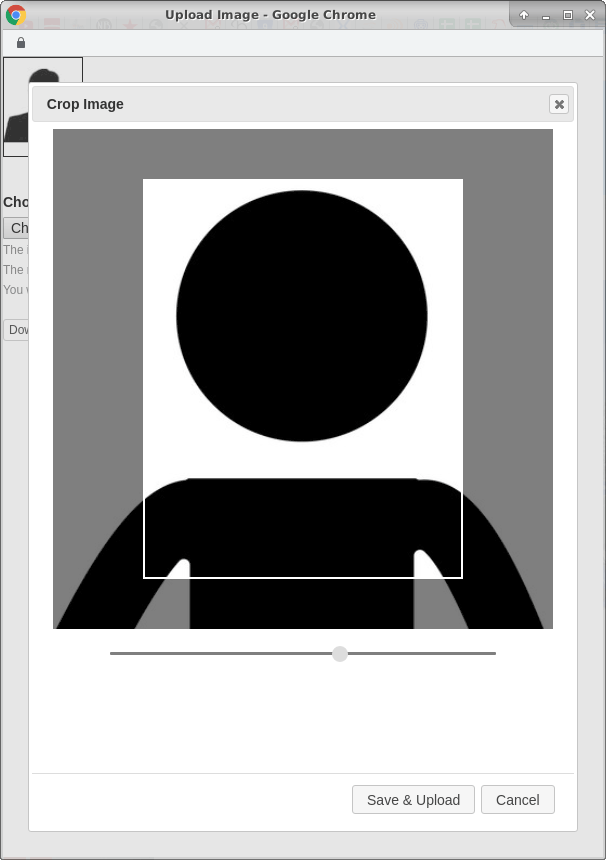
December 11, 2019
User Image Crop & Resize with High-Resolution Images
Uploading user images is now much easier as cropping and resizing is done on-the-fly vs needing to crop the image to exacting specifications in an external application, as was previously required. We've also greatly increased the allowed image resolution which results in better images of the user throughout the application.
Read More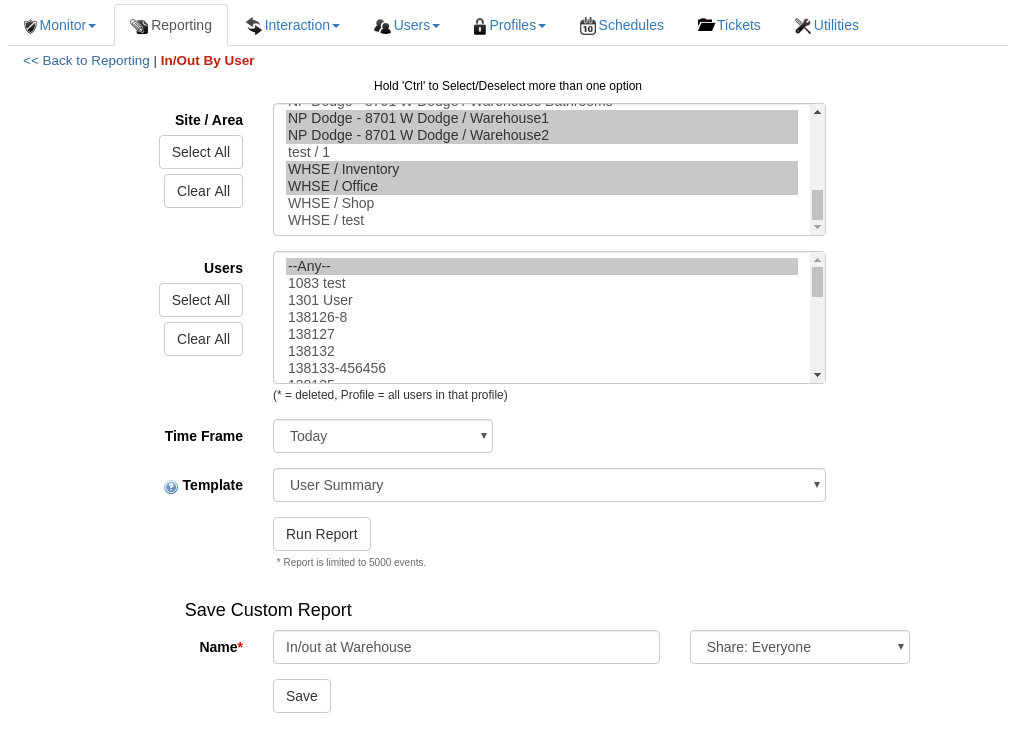
November 20, 2019
New Option to Save Any Report Template as a Custom Report
Now any report template can be saved with custom selections for quick retrieval. Previously only the Event Activity template was able to be stored as a Custom Report. Now all report templates are able to be stored. This allows for quick retrieval of previously saved filter selections. An unlimited amount of custom reports may be saved - including multiple reports using the same template but different filter selections.
Read More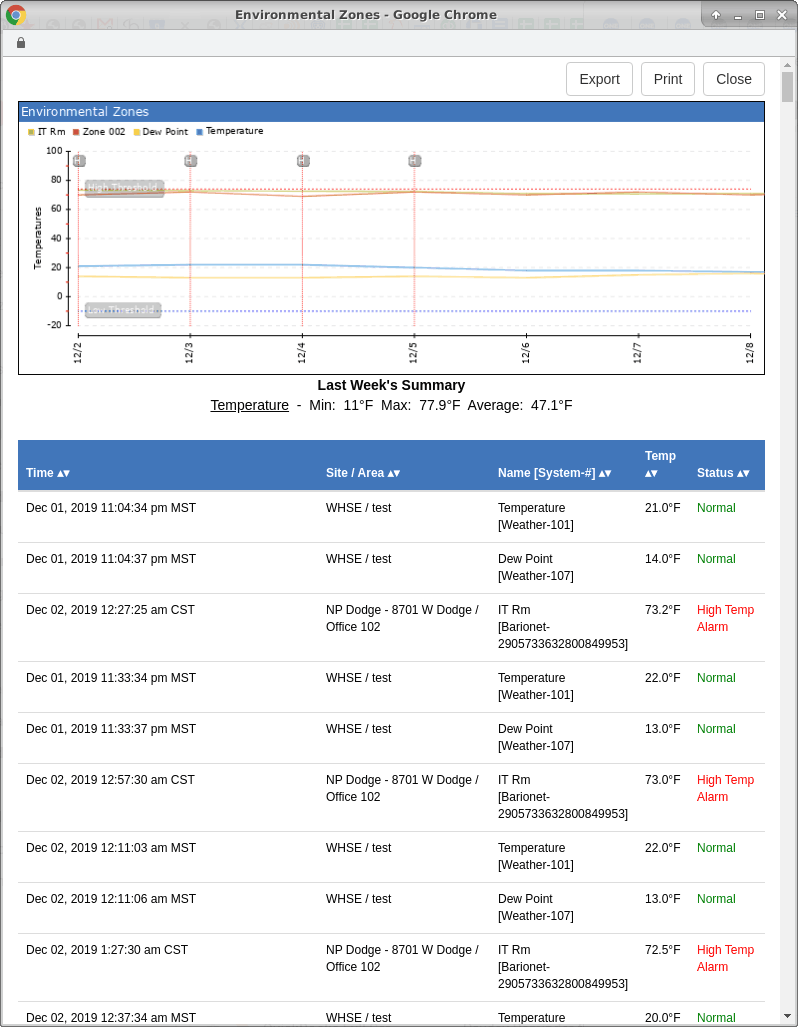
November 7, 2019
Historical Environmental Zones Report Update
A new option has been added to the Historical Environmental Zones Report to allow multiple zones to be included and graphed in the same report. Previously only one zone could be selected and viewed in a report. This allows customers with multiple zones to view their temperature, humidity, or carbon dioxide levels in the same report.
Read MoreShowing 109-120 of 236 features