

Feature Blog
236+ Feature Updates
May 22, 2019
Bosch B/G Series Code Retrieval Speed Improvement
A new feature added to Bosch B/G series control panels firmware is now supported which greatly speeds up the retrieval of user codes from the control panel into Connect ONE. In the past all 2,000 codes needed to be queried even if the code didn't exist, now only the configured users will be queried which improves the speed of the operation dramatically.
Read MoreMay 14, 2019
UserAPI Improvement & Price Reduction
An improvement to the UserAPI has been released with additional methods for easier integration coding and also added methods for adding, modifying, and deleting tickets, see Ticket Module Add-On below for more information on this topic. In addition we've also reduced the cost of the UserAPI as it is now a global fee per customer rather than previously there was a cost for each device on the customer account.
Read MoreApril 22, 2019
Expanded System Code Import
The system code import function has been improved whereas now you can also import login name, password, login profile, and email address for a user. In addition you can now also batch email the new user's login information as an option after the import is completed. This makes adding several users at one time via a spreadsheet extremely convenient since now even the notification to the user is automated.
Read More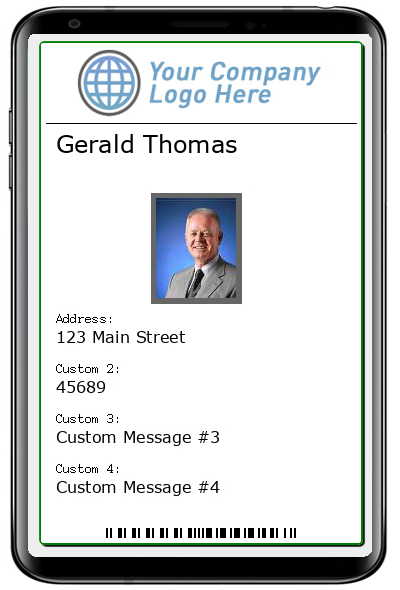
April 4, 2019
Mobile Badge & Verification Scan with ScanPass®
Another exciting value add feature is now available! Mobile Badge:A user's badge consists of the following: Logo (Dealer's Logo is default or Customer's Logo may be uploaded) Name Picture Custom Fields 1-4 Barcode for Verification Scanning Green Border for Active, Red Border for InactiveThe mobile badge in the Connect ONE App can be used in-place of a physical badge It is accessible in the Connect ONE App 1) from the login screen (if remember me was checked), 2) from the Account window, and 3) from the ScanPass screen. A guard or other personnel with administrative permissions can scan the barcode on ...
Read MoreMarch 26, 2019
Dealer Default Customer Options
Upon dealer request there is now the possibility of setting default customer options for all of your Connect ONE customers. The options include dealer logo, color scheme, navigation menu titles, and more. Each option may be overridden per customer by selecting individual options for the specific customer.
Read More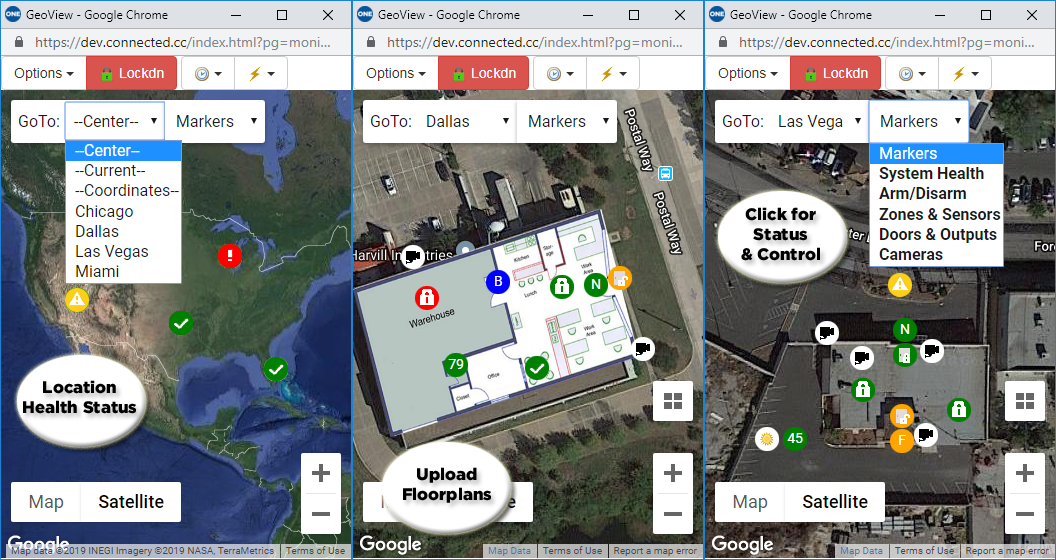
March 18, 2019
GeoView System Mapping
Another exciting value add feature is now available to grow more RMR! GeoView System Mapping: Map Locations for Real-Time Status & Control to Google Maps Easily drag/place Markers for: System Health Arm/Disarm Status & Control (Multi-Area) Zones & Sensors (including Environmental & Weather Sensors) Doors & Outputs Cameras (also Live View within Map) Upload Floorplans and overlay on top of Satellite ImageAt-A-Glance Status coloring and Animation on change
Read More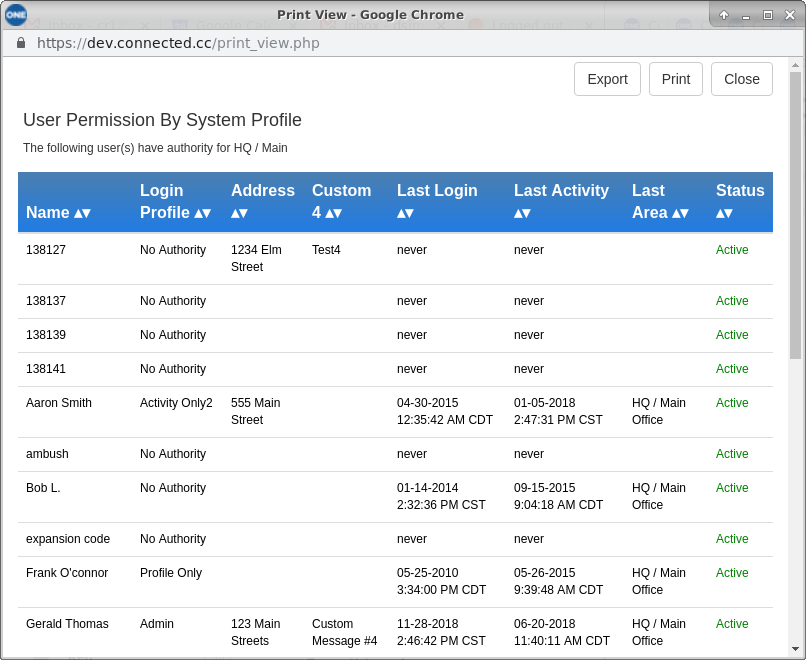
November 19, 2018
User Permission By Area Report
A new report has been added which can list user(s) with matching permissions to a one or multiple site/area(s) Your customer now has a convenient security audit tool: Verify access has been authorized properly and ensures mistakes were not made Quick insight into who could have access to the area following an incident The permissions may be derived from either the user's Login Profile or System Profile(s) selectively. This allows for the report to illustrate whether the user's login permission allows authority to manage certain areas separately from their authority with their passcode or access credential.
Read More
October 1, 2018
OpenEye NVR Systems Supported
Seamless integration is now possible between OpenEye Web Services NVR and Connect ONE® cloud platform.The OpenEye NVR and Connect ONE can be integrated via the OpenEye OWS Cloud. The cloud integration between OpenEye's Cloud and Connect ONE’s cloud service eliminates the need to connect to an IP address or to open an inbound port on the end user’s network firewall. Once connected, users can retrieve a camera list for quick and easy configuration, view live video, record snapshots upon an event from the Intrusion/Access System for video verification or review a 10-second Pre-Event and up ...
Read More
September 18, 2018
2-Factor Authentication added to Customer Site
We're happy to announce 2-factor authentication which has been available on the Connect ONE Dealer Site has now also been added to the Connect ONE Customer Site in accordance with our commitment to ensuring data security. Your customer can enable 2-factor authentication for any user. They may also require 2-factor authentication for users which is specified within their login profile. When enabled the user must enter a 6-digit authentication code after providing their username and password. The 6-digit code is generated via an App such as the Google Authenticator App and is valid for only 30 seconds.
Read More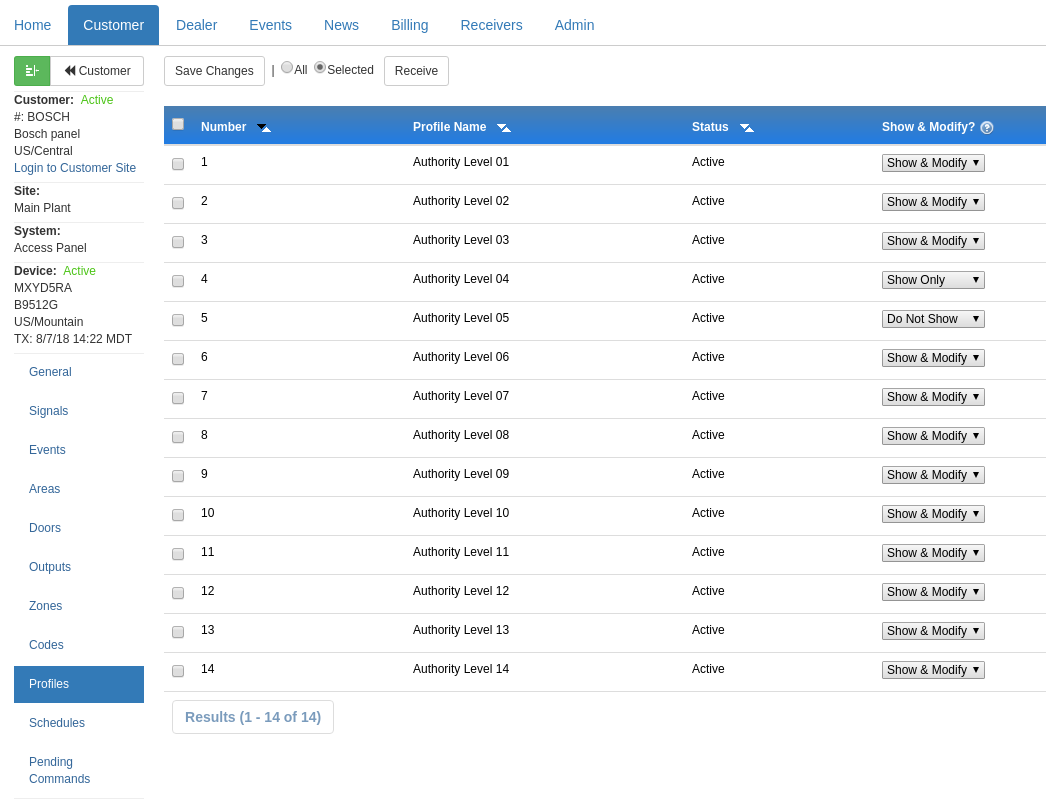
August 8, 2018
System Profile - Show/Modify Option
We released a new System Profile Option which allows you to set a master permission. The option is selectable by the dealer under the Device->Profiles menu of the customer account section on the Dealer Site. The option sets the following: Show & Modify, Show Only, or Do Not Show. If set to Show Only the profile cannot be modified by the customer regardless of their permissions. If set to Do Not Show the profile will be hidden from the customer selections. This option is helpful if there are certain profiles which should be restricted from customer use.
Read More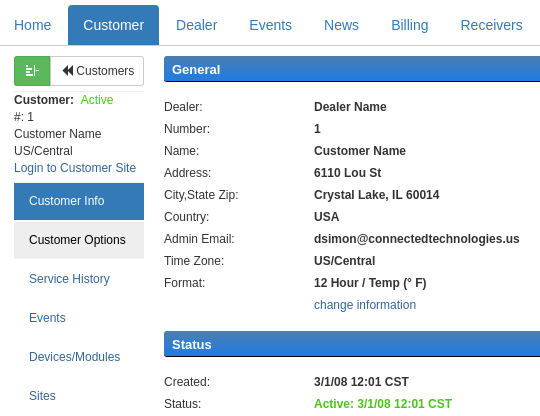
August 2, 2018
Change Request Reminder Option
We released a new Customer Option which prompts your customer to send you a change request submission whenever a user is modified. The option is selectable by the dealer under the Customer Options menu of the customer account section on the Dealer Site. The request has also been improved to accommodate multiple user changes within a single request submission so as to limit the amount of request emails sent into the dealer's inbox. Further it can also include the changed user's system code information, this can be helpful if the central station needs the user's code, which may have ...
Read More
July 20, 2018
Send Reports at Customized Times
A new reporting feature has been added which allows your customer to select the time the report is delivered We're happy to announce a requested feature update which brings extend options for your customers. Properly configured security and access reporting is essential to provide the necessary business intelligence. Connect ONE now offers the following report timings: (new in BOLD) Daily - Events: 12am-11:59pm, Delivered: 12am each Day Overnight - Events: 7am-6:59am, Delivered: 7am each Day Weekly - Events: Mon @ 12am- Sun @ 11:59pm, Delivered: Monday @ 12am each Week Monthly - Events: 1st @ 12am- Last Day @ 11:59pm, Delivered: 1st @ 12...
Read MoreShowing 133-144 of 236 features