

Feature Blog
236+ Feature Updates
May 26, 2023
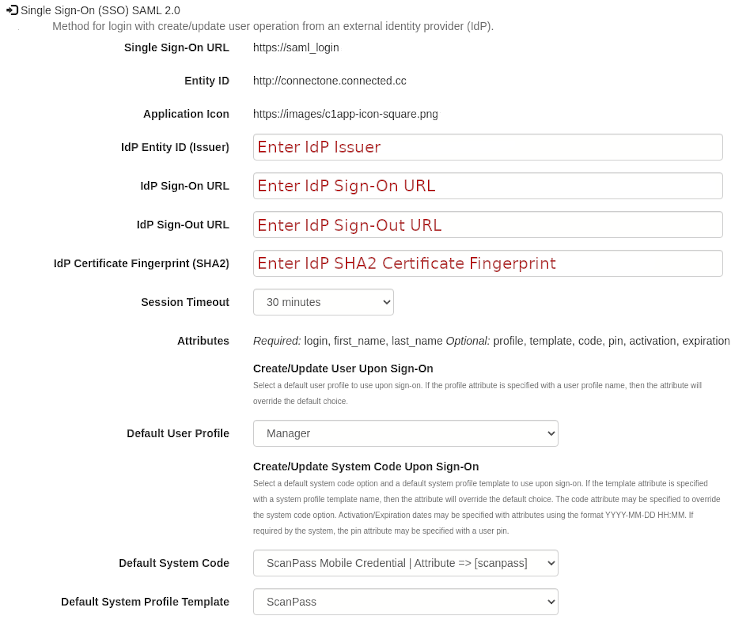
Single Sign-On (SSO)
Method for single sign-on with a create/update user operation initiated from an external identity provider (IdP). Many organizations are using Identity Providers (IdP) to centralize their user directory database across multiple applications. Now your customer will be able to integrate with Identity Providers using SAML 2.0. This allows for users to be created and updated automatically from the external single sign-on process. This integration was developed for and verified with Okta however since it is based upon SAML 2.0 it should work for other Identity Providers such as Microsoft Azure AD. Single Sign-On configuration is setup on the Utilities->Settings page.
Read More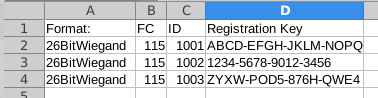
May 4, 2023
Farpointe Conekt Bluetooth Mobile Credential Integration
A simplified approach to Bluetooth mobile credentials. A new integration has been completed with Mobile Credentials by Farpointe called Conekt. This integration allows for a seamless method to enroll these credentials in Connect ONE. When you order Farpointe Conekt Mobile Credentials from your vendor, you will be supplied a spreadsheet which will be imported into Connect ONE. An example import spreadsheet is below. The import screen is accessed via Utilities->Credentials. Once uploaded, the spreadsheet may be verified prior to import. After the import, the credential list may be managed, if necessary, however it is now ready for your ...
Read More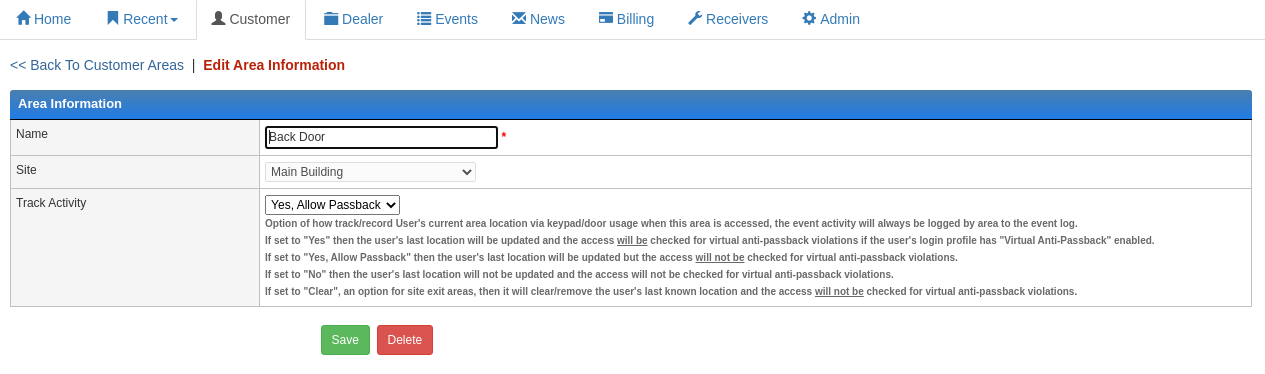
March 22, 2023
Site Area Tracking Expanded
The Site Area tracking options have been expanded to include an option to allow passback. This feature works in-conjunction with the user's login profile option for Virtual Anti-Passback. Now you can designate an area to ignore anti-passback violations. See below for a complete list of tracking options: Option of how track/record User's current area location via keypad/door usage when this area is accessed, the event activity will always be logged by area to the event log. If set to "Yes" then the user's last location will be updated and the access will be checked for virtual anti-passback ...
Read More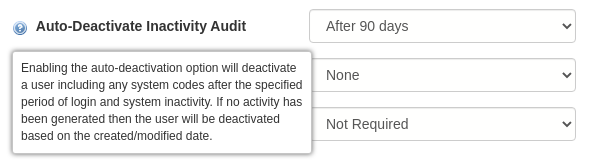
March 9, 2023
Auto-Deactivate Inactivity Audit
A new option in the user's login profile may be set which checks for the lack of activity from a user and automatically issues the necessary commands to deactivate the user and their system code(s)/card(s) for all sites upon the expiration of the defined time period. The time period can be set anywhere from one day to one year.
Read More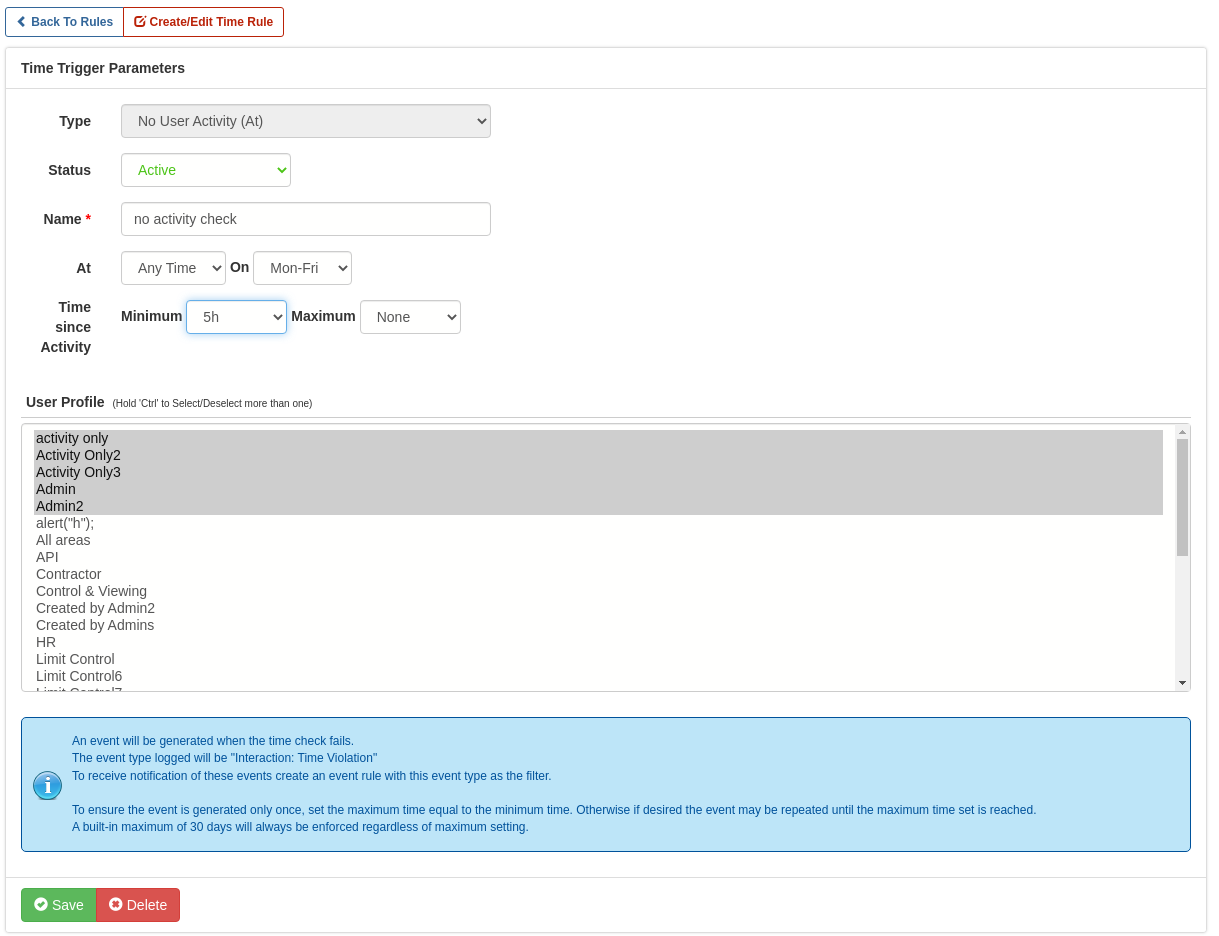
March 7, 2023
Time Rule: No User Activity Check
A new Interaction->Time Rule has been added to check for the lack of user activity. This option can be used to generate events when a user hasn't had expected activity after a defined time period, which may be set anywhere from one minute to twenty days.
Read More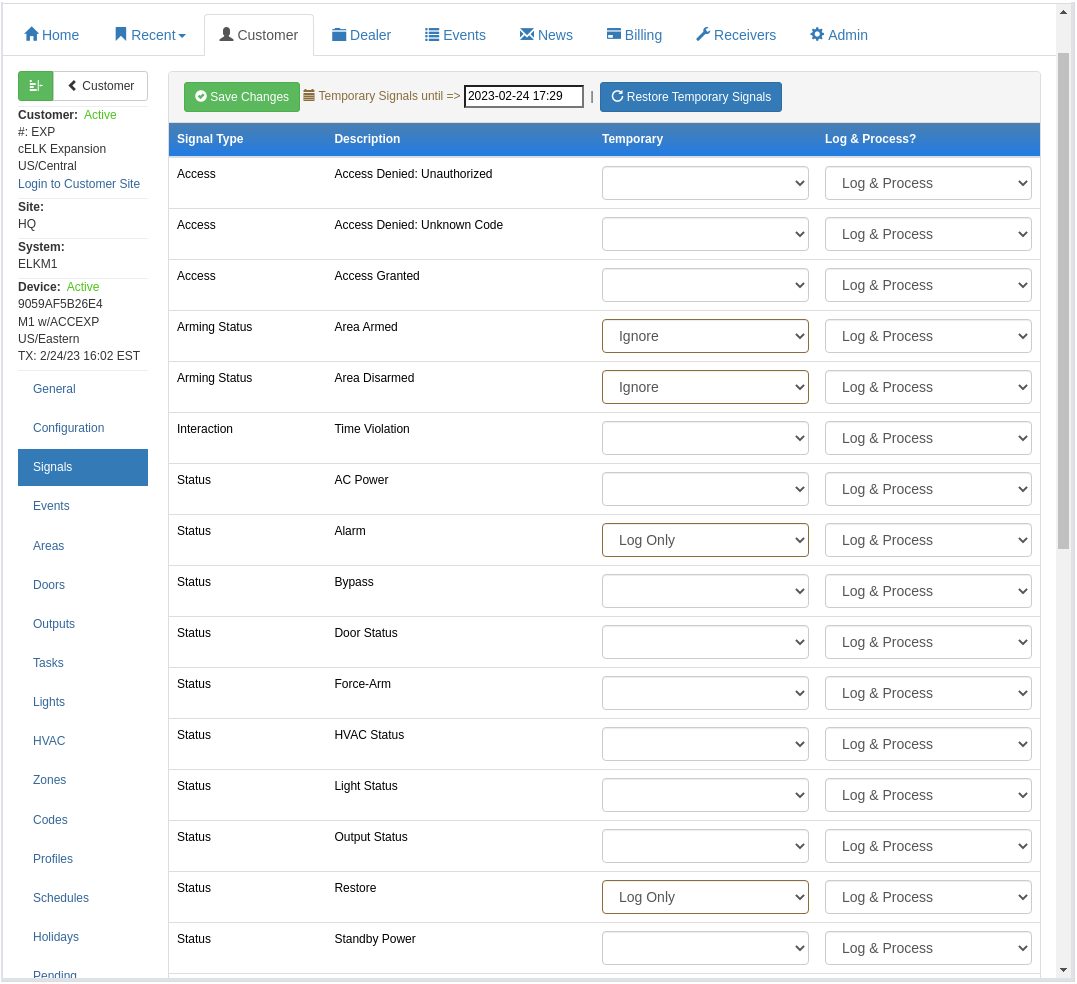
February 27, 2023
New Testing Feature with Temporary Device Signal Options
New temporary device signal options can be scheduled for a desired timeframe. Previously the signal choices were permanent and had to be manually restored after testing. Now you can set a temporary signal option for the testing period and it will automatically revert back after the desired date. Temporary options include: Process Only, Log & Process, Log Only (NEW), or Ignore. Generally during testing the recommended options are Log Only or Ignore. This ensures your customer isn't inundated with notifications from alarm conditions generated while testing.
Read More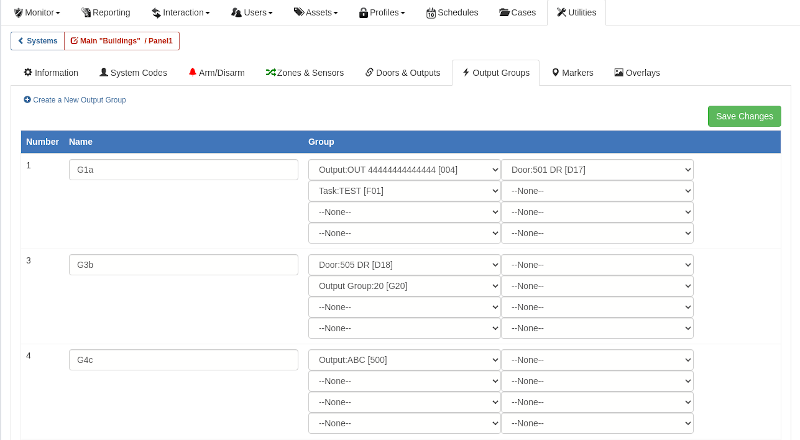
January 6, 2023
DMP XR Output Groups Expanded
DMP XR Output Groups are now configurable from the Customer Application under the Utilities section. Previously output groups were only configurable from the Dealer Application but now your customer can manage changes on their own. You can hide a reserved output group from customer management by either not assigning a selected output to a Site Area or by assigning it to a Site Area of which they do not have permissions to see.
Read More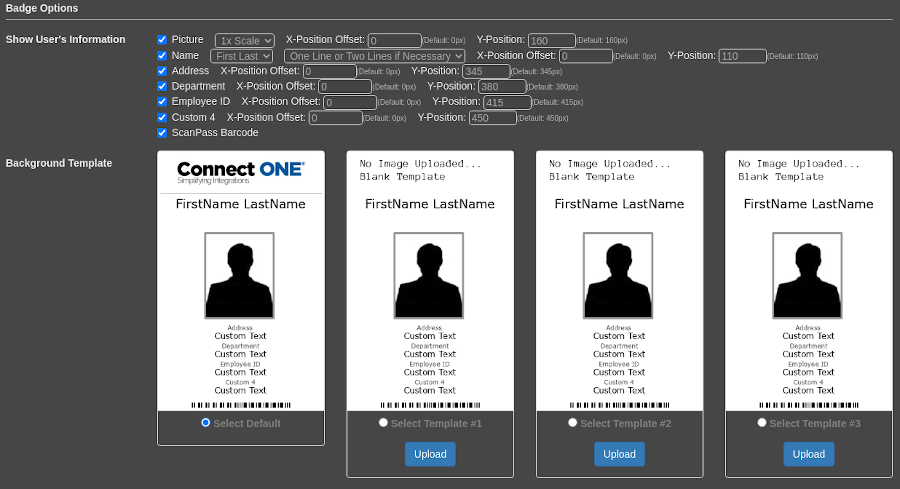
December 10, 2022
User Badge Templates Expanded
User Badge Templates Expanded: We increased the amount of badge background template images from 3 to 7 upload slots. By default the login profile will show 3 slots available, but once you upload the 3rd template it will then show another 4 slots available. We also added an X offset template option so the image and text can be placed off-center of the badge, previously the image/text could only be moved up or down, now it can be moved left and right as well. User Deletion Permission: A new option in the user's login profile may restrict the ability to delete users ...
Read More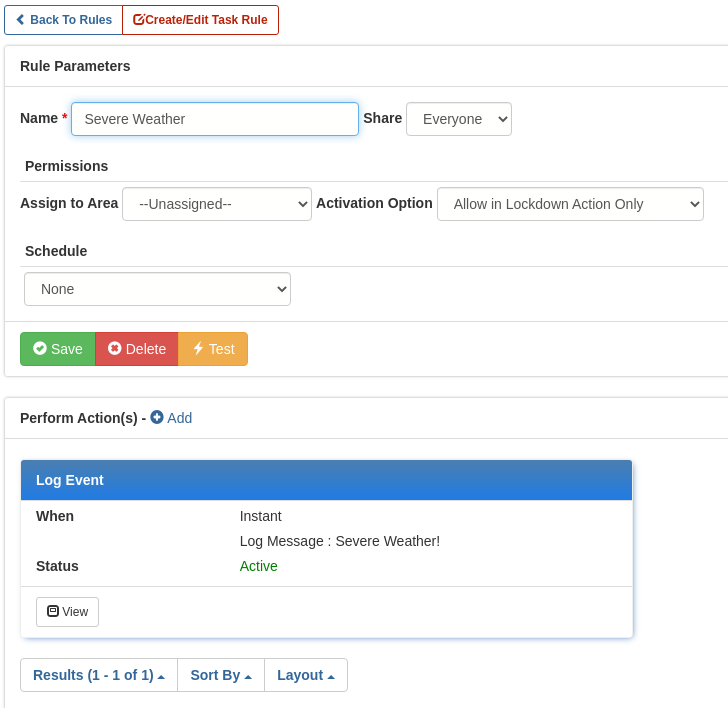
October 25, 2022
Custom Lockdown & Emergency Mass Notification
A new feature, added from your feedback, expands the powerful Connect ONE® Lockdown Options! New options added to Task Rules allow for creating custom lockdown actions and/or general emergency notification options to be configured without requiring a complete system lockdown. Task Rules offer many options for system control and interaction in a single-click and are now even more powerful with the addition of an action to log an event and show the rule for activation in the lockdown options window. Custom messaging entered in the lockdown window allows for an unlimited use case and provides the ...
Read MoreOctober 25, 2022
Mass Notification Options Expanded
More mass notification options are possible based upon login profile. Previously the mass notification options were for all users based upon contact type, now you can select all users within a login profile which provides even more control and flexibility regarding who to notify.
Read More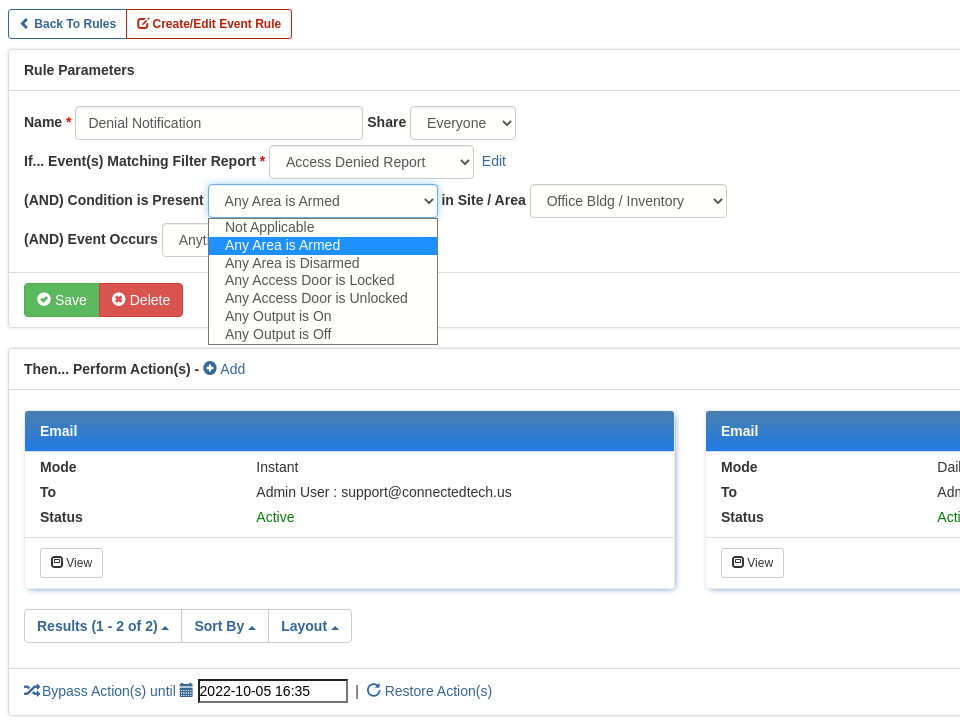
October 1, 2022
Event Rule Options Expanded to Include Additional Conditions Present
A new feature expanding the powerful Connect ONE® Event Rules! Event Rules offer many options for notifications and system interaction; and are now even more powerful with the addition of a conditional qualification which must be present in order for the rule to activate. This feature is in addition to the schedule qualification which allows for the rule to only be active during or outside of certain hours. Now the rule can be further qualified with a present condition in a particular site or area. The condition options are: Area(s) Armed or Disarmed, Door(s) Locked or ...
Read MoreOctober 1, 2022
Usability Improvements
Customer Management Portal Filter by User Login Profile: The User List and User List Report have a new option to filter by Login Profile. Login Profiles allow for more than permission control, they may also be used for grouping. For instance, you can add a Contractors Login Profile and apply users to this profile/group. When viewing the user list it is now very simple to show all Contractors using the filter by Login Profile option. User Permission Report: The User Permission Report is a great way to find all Users with access to certain Sites or Areas at ...
Read MoreShowing 49-60 of 236 features