

Feature Blog
236+ Feature Updates
October 8, 2021
ScanPass Mobile Credential with Plus Pin Option
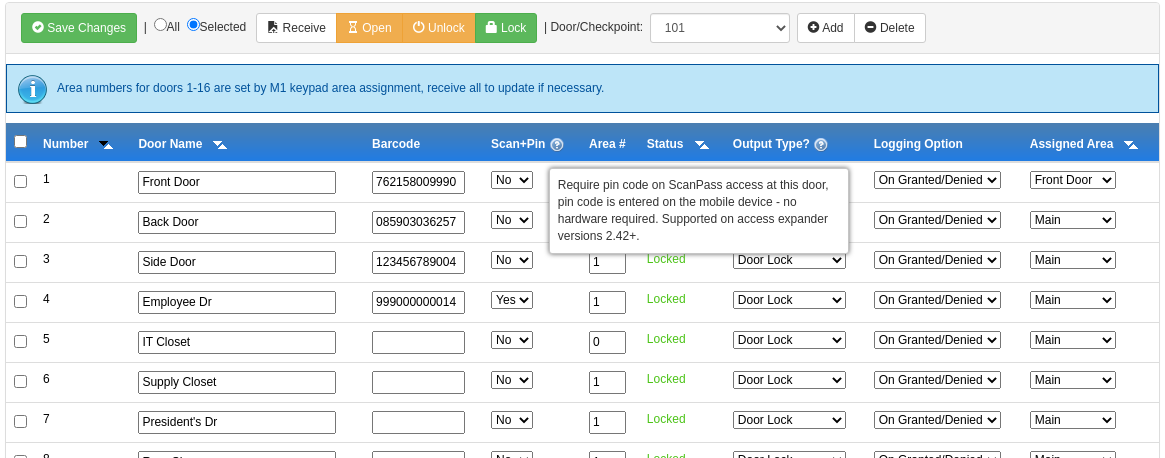
Now the popular mobile credential that simply uses barcodes placed on the door, has been improved with a high security per-door option of requiring a pin entry upon access. The pin entry is from their mobile device, no keypads or readers required! From the Dealer Site, each door may be configured of whether to require a pin (Scan+Pin): Once enabled the user will need to enter their pin, which is created/managed along with their mobile credential, from the Connect ONE App to gain access: Learn More
Read More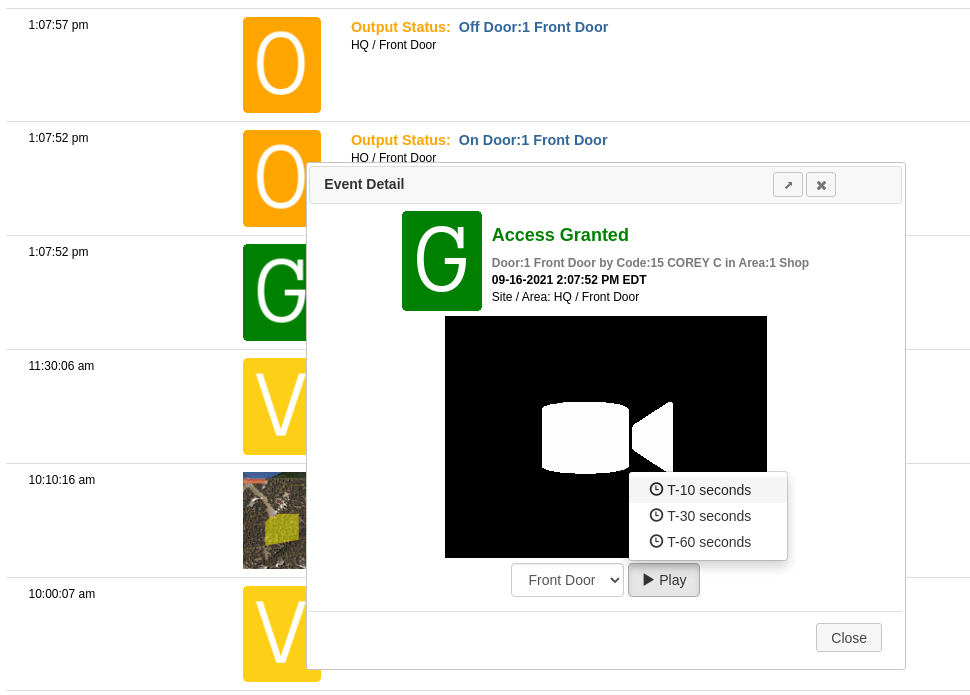
September 27, 2021
Video Playback on ANY Event
You can now view video playback from associated cameras on any event in the Monitor->Activity log. Previously playback was only possible when the event was linked in an Interaction->Event Rule to capture camera snapshots at the time of the event. While that is still possible, now any event captured from an area where cameras are also assigned will allow options to view live video and playback from the NVR starting at possible options of 10, 30, or 60 seconds prior to the timestamp of the event. Playback viewing is possible from ExacqVision, Digital Watchdog Spectrum, OpenEye, and Eagle Eye NVRs. ...
Read More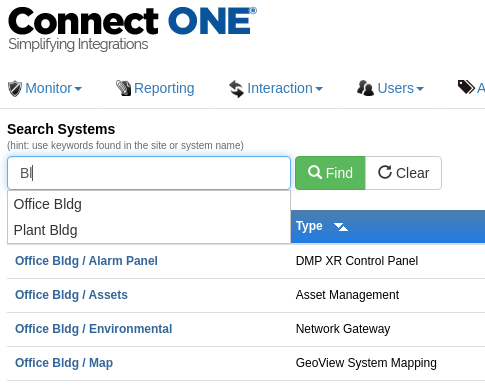
September 7, 2021
Usability Improvements
Customer Management Portal Site Search Autocomplete: If your customer has multiple locations they can now easily search through result sets on Monitor->Filter Results, Users->System Codes, Profiles->System Profiles, Schedules, and Utilities with an Autocomplete feature without having to type the complete name. Add User & Proceed to System Code: There is now a new button when adding a user, "Save and Proceed to System Code." Pressing this button will save the user and take them right to adding the code for the system(s) in one-step.
Read More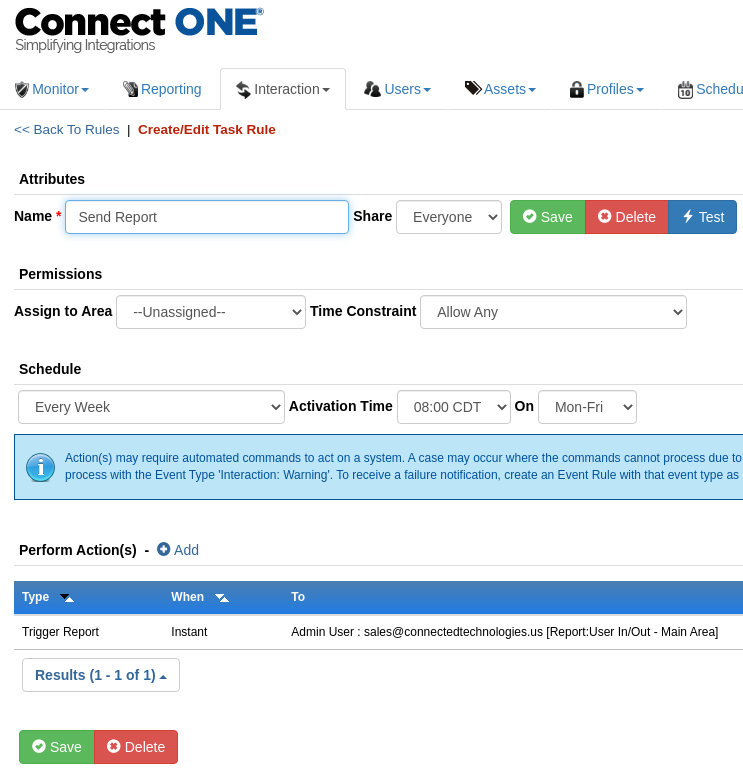
August 31, 2021
Scheduled In/Out, Exit Exception, and New Site Occupancy Report
Now the popular In/Out Report and the new Site Occupancy Report can be delivered via email by a Scheduled Task Rule! Scheduled Task Rules have a new action option labeled "Trigger Report." Report types selected can be: In/Out By User - List user in and out times for each area and calculate total time in an area. Exit Exception By User - List users which have logged in but not logged out. NEW! Site Occupancy - List users which accessed each site and calculate total occupancy. Task Rule Scheduling can be one-time, daily, weekly, monthly, certain days ...
Read More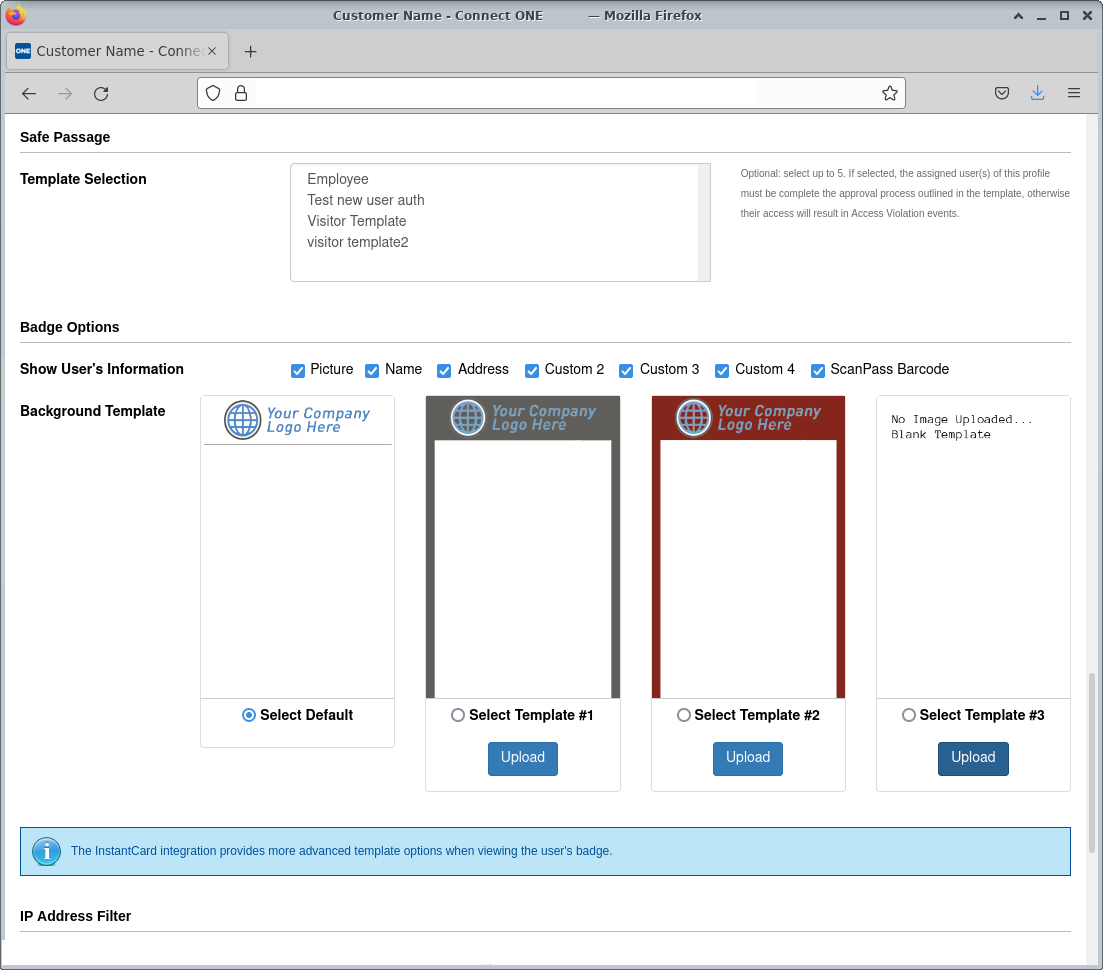
August 12, 2021
Custom Badge Design Templates & Options
You can now choose to use the default badge template or choose to upload up to three custom background design templates for users’ badges. The custom background extends to the entire badge and may include customized color schemes, logos, images, and standardized text to be printed on the badge. A user’s login profile further customizes the badge with choices of what to print, those choices include: the user’s picture, name, up to four custom fields, and whether or not to show the ScanPass® barcode. The barcode allows personnel to scan the badge using the ScanPass function in ...
Read MoreAugust 5, 2021
Usability Improvements
Customer Management Portal Utilities Revamped: New tab style navigation for the maintenance options of a system plus the ability to print/export lists of areas, zones, and doors & outputs. Dealer Administrative Portal Recently Viewed Menu: A new navigation menu exists which tracks the customers and devices you access and provides quick and easy access to view those accounts again without needing to initiate repeated searches. TIP: Check the Configuration page for the Device as it includes recommended programming for the particular product and firmware version.
Read More
July 1, 2021
ExacqVision Integration - Improved Connectivity Options
The Connect ONE ExacqVision integration has been available for many years but has now been improved with easier connectivity options. Exacq Cloud Relay Compatible: No more port forwarding or incoming firewall rules required to view live/playback video in Connect ONE. Also, all video is encrypted. Multi-Server Compatible: If your customer uses a single Exacq Web Service to handle multiple Exacq Servers then this methodology is now also compatible with Connect ONE. When configuring the Exacq device in Connect ONE, you will re-use the same connection parameters and just specify the server ID, that's it. Learn More
Read MoreJune 17, 2021
Light and Dark Theme Modes
Customizable colors for both the light theme and dark theme are now possible under Customer Options on the Dealer Portal (default colors are already specified). By navigating to the Accounts button at the top-right of the application, then choosing Prefs, each user can set their preference for the theme mode to be: 1) Light Only (default), 2) Dark Only, or 3) Auto (changes to light/dark with the current mode of the device).
Read More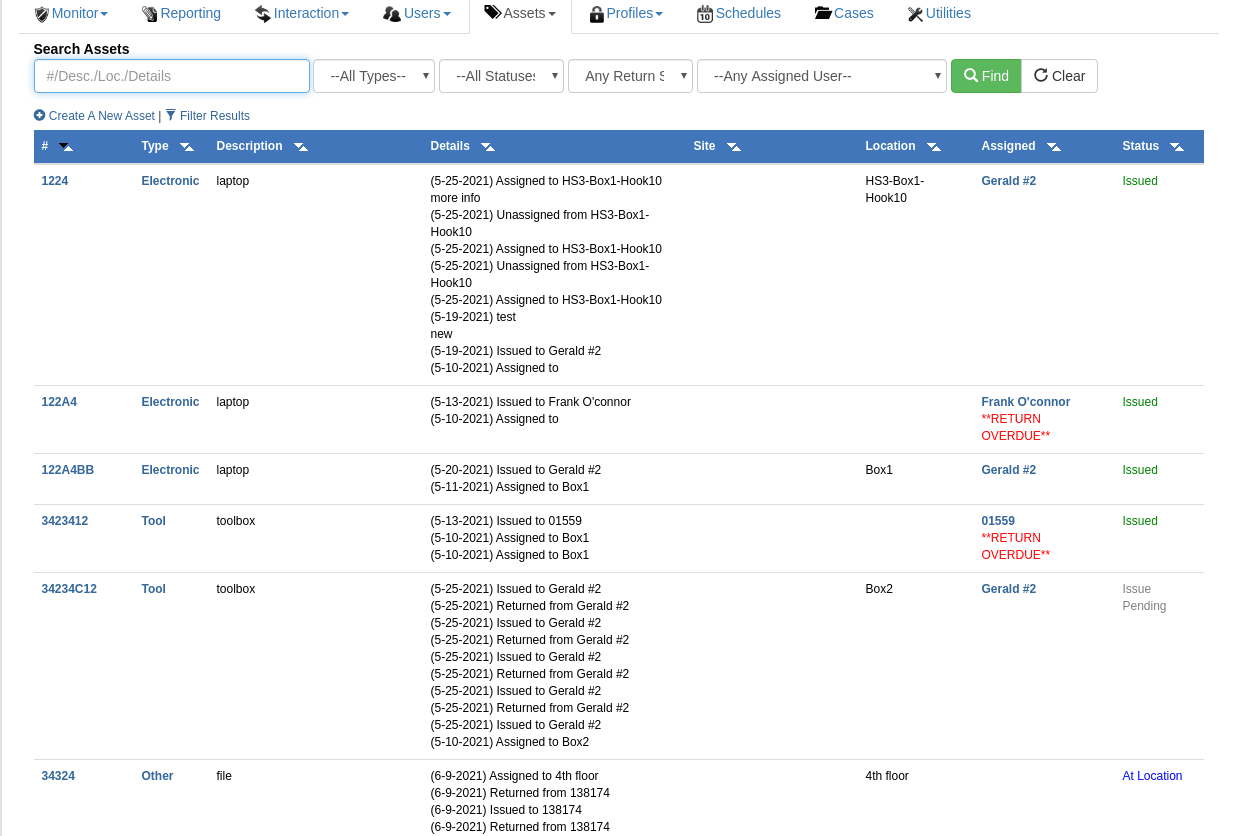
June 1, 2021
Physical Asset Management
Streamlined Methods to Track Assets to Locations and/or Users The Connect ONE Asset Management Module provides streamlined methods to track assets to locations and/or users including the generation of custom user authorization templates upon issuing and/or returning. A specified return date will notify the assigned user via email if overdue. Create assets and assign to location for quick check of where they are located Issue assets to users and automatically send a customized authorization template for the person to approve and sign via email. Once completed the form is converted to a pdf and recorded with ...
Read MoreApril 30, 2021
Import Activation or Expiration Dates
The System Code Import Utility has been expanded to include the ability to import a code activation and/or expiration date from the spreadsheet.
Read MoreApril 27, 2021
Automated reports have been improved
Automated reports have been improved with an included pdf attachment of the activity. This is in addition to the email containing the activity within the body plus the included (csv) export file attached.
Read MoreApril 21, 2021
DMP Holiday Date with Year Specification
Creating a DMP Holiday Date will now allow you to choose an associated year, previously all holiday dates would repeat every year which may cause additional management requirements to update the holiday dates after they occur. Now, holidays, which change days each year, can be added ahead of time without worrying about a past date interfering with access and door schedules the following year. Connect ONE will manage syncing the holidays into the appropriate panels whenever necessary.
Read MoreShowing 73-84 of 236 features